

You’re managing customer data across your CRM, billing system, support platform, and revenue stack. Each one operates in isolation. Your team manually stitches workflows together with spreadsheets and repetitive API calls. Critical customer milestones slip through the cracks because the systems don’t talk to each other.
This is the operational reality for most mid-market and enterprise revenue teams in 2026. And it’s exactly why customer lifecycle orchestration across systems has become table stakes for companies serious about scaling without adding headcount.
Related: How to Automate Customer Lifecycle Workflows
Related: Best Platform for Customer Success Data Orchestration Across Systems
Related: Operational Visibility Across Disconnected Business Systems
Related: Real-Time Data Visibility Across Business Systems
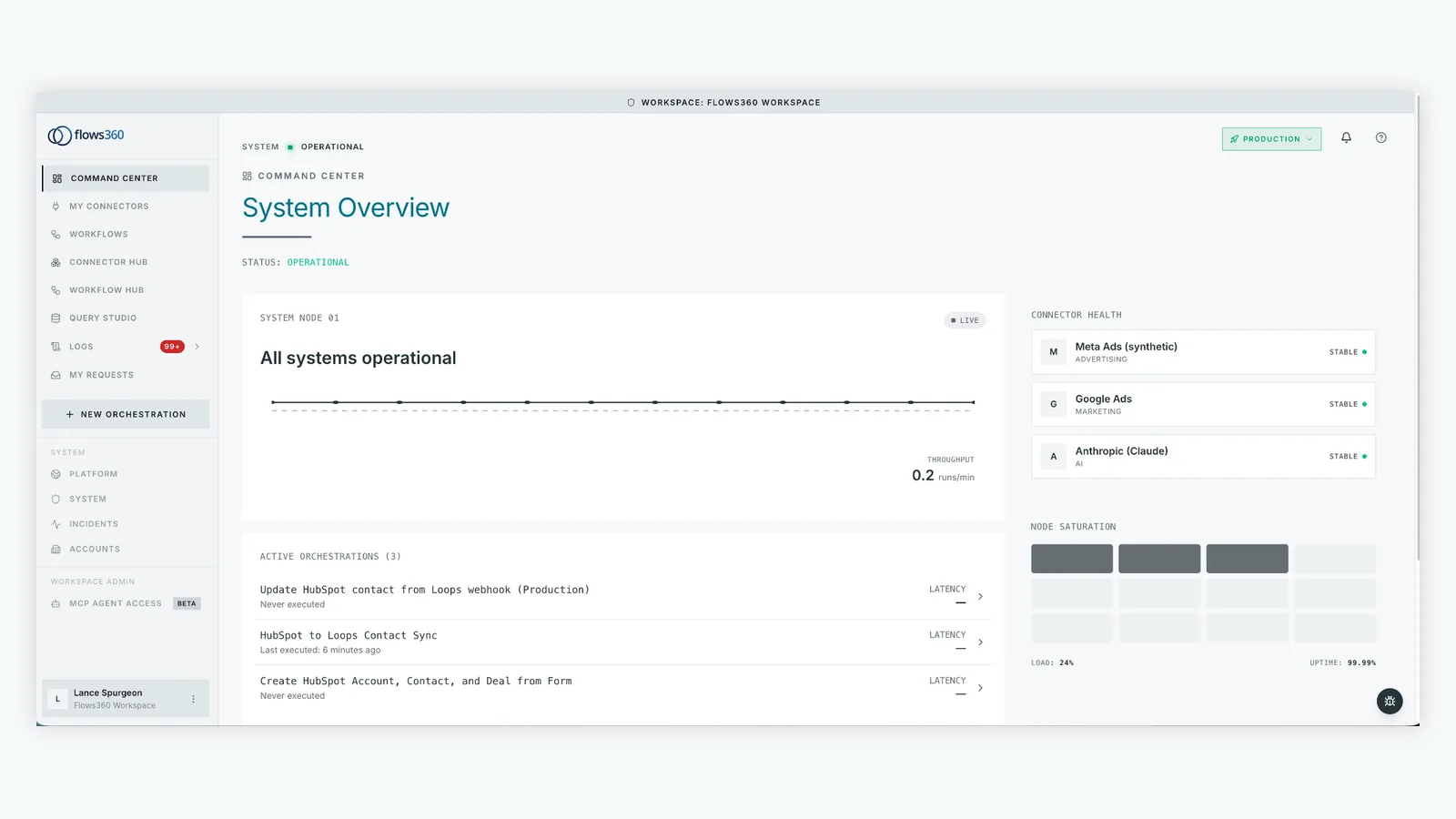
The good news: you don’t need to rip and replace your existing stack. You need an orchestration layer that sits on top of everything, connects the dots, and automates the multi-step workflows that currently live in your team’s heads.
What Customer Lifecycle Orchestration Actually Means
Let’s be clear about terminology. Flows360 defines customer lifecycle orchestration as the ability to:
- Collect customer data and behavioral signals from all your systems in real time
- Trigger automated workflows based on specific customer events or milestones
- Execute coordinated actions across multiple systems without manual intervention
- Track every step with audit trails and compliance controls
It’s not just journey mapping. It’s not just segmentation. It’s the active orchestration of customer experiences across CRM, billing, support, marketing automation, and everything in between.
Think of it this way: when a high-value customer downgrades their subscription, your orchestration layer should automatically flag that in your revenue platform, trigger a retention workflow in your CRM, notify your customer success team, and log the event for compliance. Today, that happens through five different manual touchpoints. With proper orchestration, it’s one deterministic flow.
Related: Customer Success Platform Examples: Top Tools Compared
Related: Customer Success Lifecycle & Account Health Review: Real Example
Related: Customer Success Lifecycle & Account Health Orchestration Review
Related: Account Health Monitoring for Customer Success Teams
Why Your Current Approach Is Breaking
You probably have point integrations already. A Zapier connection here, a Make workflow there, some custom API scripts. They work fine until they don’t.
The problems that emerge:
- Fragility. One API change breaks three workflows. You find out when a customer reports missing data.
- No visibility. You can’t see the full flow of a customer through your systems. Did the order sync to accounting? Is the renewal reminder actually sending?
- Compliance gaps. You have no audit trail. You can’t prove to auditors that workflows executed as intended.
- Scaling headache. Adding a new workflow means another integration, another failure point, another thing for your team to manage.
Generic automation tools treat every workflow like a simple point-to-point connection. Enterprise customer lifecycles are more complex. You need deterministic, auditable orchestration that handles error states, retries, conditional logic, and cross-system dependencies.
The Three Orchestration Models That Actually Work
Industry analysts have identified three emerging orchestration patterns for 2026 and beyond:
1. Journey Orchestration Within Your CRM
Salesforce, HubSpot, and Dynamics are building orchestration capabilities into their platforms. Good for simple workflows that live inside the CRM. Bad when your workflow spans your CRM, billing system, support platform, and revenue tool. You’re stuck replicating logic across multiple systems.
Related: Best Way to Connect Support Systems to Billing Data
2. Interaction Orchestration in Contact Centers
CCaaS platforms like Genesys and Amazon Connect are adding orchestration layers to manage customer interactions across voice, chat, email, and social. Excellent for customer-facing teams. Incomplete for backend operational workflows that don’t touch the contact center.
3. Event-Driven Orchestration as Standalone Infrastructure
This is the emerging winner. A dedicated orchestration platform sits between your systems and responds to events (customer signup, renewal date, support ticket closed) by triggering coordinated multi-step workflows. It works regardless of whether the systems are cloud or on-premise, old or new, from Salesforce or your custom build.
This third model is what enterprise operations teams need because it’s system-agnostic and outcome-focused. Flows360 operates in this space. It’s built on event-driven processing and cloud-native orchestration to handle the complexity your team actually faces.
See where your workflows are leaking time?
How to Build Your Orchestration Layer

Start with these foundational steps:
Phase 1: Vision. Map your customer lifecycle. Where are your biggest manual bottlenecks? What customer events matter most (signup, first purchase, renewal date, churn risk)? Which systems need to participate? This is not a technical exercise. Talk to your RevOps, Finance, and Customer Success teams. Map the ideal workflow first.
Phase 2: Execution. Build your event pipelines. Connect your systems. Define the events that should trigger orchestration (a customer account reaches $X ARR, a support ticket is marked “resolved,” a renewal date is 30 days out). Set up the coordinated actions that follow.
Phase 3: Optimization. Monitor, iterate, refine. Real-time visibility into which workflows are executing, which are failing, and why. Build in error handling and retry logic. Adjust thresholds based on what you learn.
Most teams skip Phase 1. They jump straight to building. That’s why they end up with fragile, siloed workflows instead of cohesive orchestration.
Real Outcomes You Can Expect
Here’s what enterprise teams report after implementing proper orchestration across systems:
- 50-70% reduction in manual workflow execution. Processes that took a team member 30 minutes now run automatically in seconds.
- Faster customer response times. Renewal reminders send on day 1, not day 7. Churn alerts reach your team within minutes of the trigger event.
- Better compliance posture. Full audit trails. Documented workflows. Proof that processes executed as designed.
- Cleaner data. When systems are orchestrated, data quality improves because there are fewer manual handoffs and data stays synchronized.
The compounding effect matters most: as you automate more workflows, your team has bandwidth to think strategically instead of firefighting.
What to Look For in an Orchestration Platform
Not all orchestration tools are built the same. When you’re evaluating options, look for:
- Real-time event processing. Can it respond to events as they happen, or does it batch process every hour?
- Multi-system orchestration. Does it connect your systems or does it force you to use only its native connectors?
- Audit and compliance controls. Can you see exactly what happened, when, and why? Can you prove it to auditors?
- Error handling and resilience. What happens when a system is down or an API fails? Does the workflow retry intelligently?
- Governed AI. If the platform offers AI-powered decisions, are they explainable and auditable? Or are they a black box?
You want a platform that treats your operational workflows as mission-critical infrastructure, not as simple automation tasks. Flows360 was built specifically for this. It’s designed for RevOps, Finance, Customer Success, and Sales teams that manage complex, multi-system orchestration requirements and can’t afford fragile integrations.
Getting Started Without a Six-Month Implementation

You don’t need to boil the ocean. Start with one high-impact use case:
- Automatic renewal reminders that sync with your CRM and billing system
- Churn alerts that trigger retention workflows across multiple platforms
- New customer onboarding that coordinates actions in your CRM, billing, and success platform
- Revenue recognition workflows that sync between your revenue tool and accounting system
Pick the workflow that causes the most manual work today. Map it end-to-end. Orchestrate it. Measure the time saved and data accuracy improvement. Then expand to the next workflow.
This incremental approach proves ROI fast and builds internal confidence in your orchestration layer. After two or three high-impact workflows, expanding to twenty becomes straightforward.
Flows360 customers typically see their first workflow automated within two weeks and their full orchestration layer operational within 8-12 weeks. The key is starting with vision, not with tool selection.
The Bottom Line
Customer lifecycle orchestration across systems isn’t optional anymore. Your competitors are already automating the workflows that currently live in your team’s brains and spreadsheets. The question is whether you’re going to build it with fragile point-to-point integrations or with proper orchestration infrastructure that scales.
The best platform for you is one that connects your actual systems, respects your compliance requirements, and lets your operational team see and control exactly what’s happening. That’s the foundation of modern RevOps, Finance, and Customer Success execution in 2026.
What’s the difference between orchestration and automation?
Automation handles single tasks (send an email, create a Salesforce record). Orchestration coordinates multi-step workflows across multiple systems based on events and conditions. Automation is “if this, then do that.” Orchestration is “if this event happens, execute this coordinated sequence of actions across these five systems, handle errors intelligently, and log every step for audit purposes.”
How long does it take to implement customer lifecycle orchestration?
Your first workflow can be live in 2-4 weeks if you start with a clear use case and have proper tooling. A full orchestration layer across all your critical workflows typically takes 8-12 weeks for mid-market companies. The timeline depends on system complexity, the number of workflows you want to automate, and how much time your team can dedicate to the project.
Do I need to replace my existing systems?
No. Orchestration platforms sit on top of your existing stack. You keep your CRM, billing system, support platform, and whatever else you’re using. The orchestration layer connects them, automates the workflows that span them, and provides visibility into the entire process. This is why it’s such an efficient investment: you don’t have to migrate data or replace tools.
How do I measure the ROI of orchestration?
Start simple: measure the time your team spent on manual workflows before orchestration. Then measure it after. Most teams recover 20-40 hours per month per team member. Beyond time savings, measure data quality (fewer sync errors), compliance metrics (audit trail completeness), and customer outcomes (faster response times, improved renewal rates). Track these for three months after your first workflow goes live to build your business case for expanding orchestration.
See where your workflows are leaking time?