
Your customer success team is drowning in disconnected data. Gainsight has health scores. Salesforce has account history. Zendesk has support tickets. Your email platform has engagement metrics. None of them talk to each other without manual work, spreadsheets, or brittle integrations that break every quarter.
The result: delayed decisions, missed churn signals, and customer success managers making calls based on incomplete information. You’re operating reactively when the market demands predictive, proactive engagement.
That’s where customer success data orchestration comes in. Instead of forcing your team to jump between platforms, orchestration unifies your customer data in real-time across sales, support, success, and finance systems. You get a single source of truth for each customer, enabling faster decisions, smarter playbooks, and measurably better retention.
Related: Real-Time Data Visibility Across Business Systems
Related: Best Platform for Customer Lifecycle Orchestration Across Systems
Here’s what actually matters when you’re evaluating platforms for customer success data orchestration across platforms: real-time connectivity, governance controls, predictive capability, and the ability to execute workflows without your engineering team building custom code.
Why Data Fragmentation Is Killing Your Retention
Let’s be direct: your customer success stack is fragmented by design. You use Salesforce for pipeline and account data. You use Gainsight or ChurnZero for health scoring. You use Slack for team coordination. You use Zendesk or Intercom for support. You use HubSpot or Marketo for email and engagement. Maybe you’re also managing Stripe for billing, Looker or Tableau for analytics, and Slack for notifications.
Each system is good at one thing. None of them are good at talking to each other without custom integration work.
The cost of that fragmentation is huge:
- Your CS managers spend 15-20% of their time manually updating systems and pulling reports instead of engaging customers.
- Health score changes in Gainsight don’t automatically trigger support escalations in Zendesk or outreach in Slack.
- Your finance team can’t see which customers are at churn risk before invoicing goes out.
- Your sales team doesn’t know which expansion opportunities are sitting in accounts your success team has already identified.
- Churn signals buried in support tickets, engagement data, and product usage never reach the right person in time.
This isn’t a data problem. It’s an orchestration problem. You have the data. You just can’t coordinate it across teams and systems fast enough to act on it.
What Real Customer Success Data Orchestration Looks Like
Orchestration isn’t just “integration.” Integration moves data from point A to point B. Orchestration coordinates people, data, and workflows across multiple systems to deliver a unified customer experience.
Here’s what it should do:
- Real-time health scoring: Pull account data from Salesforce, support history from Zendesk, product usage from your analytics platform, and billing from Stripe. Synthesize that into a unified health score that updates automatically, not monthly.
- Trigger-based workflows: When health score drops below a threshold, automatically create a task for the CS manager, notify the account executive, and queue a personalized outreach email. All without manual intervention.
- Cross-team visibility: Your support team sees which customers are expansion candidates. Your sales team sees which accounts are at risk. Your finance team understands revenue impact before it happens.
- Playbook automation: Execute multi-step customer journeys across platforms. Nurture at-risk customers with coordinated email, calls, and in-app messaging. Handoff upsell opportunities from success to sales automatically.
- Governed AI insights: Use predictive analytics to identify churn risk, expansion readiness, and next-best actions. But with full auditability, compliance controls, and human oversight built in.
The platforms that do this well (Gainsight, ChurnZero, Totango, Planhat, and Catalyst) combine three core capabilities: unified data connectivity, workflow execution, and predictive intelligence. But they’re not all built the same way, and they don’t all integrate equally well with your existing stack.
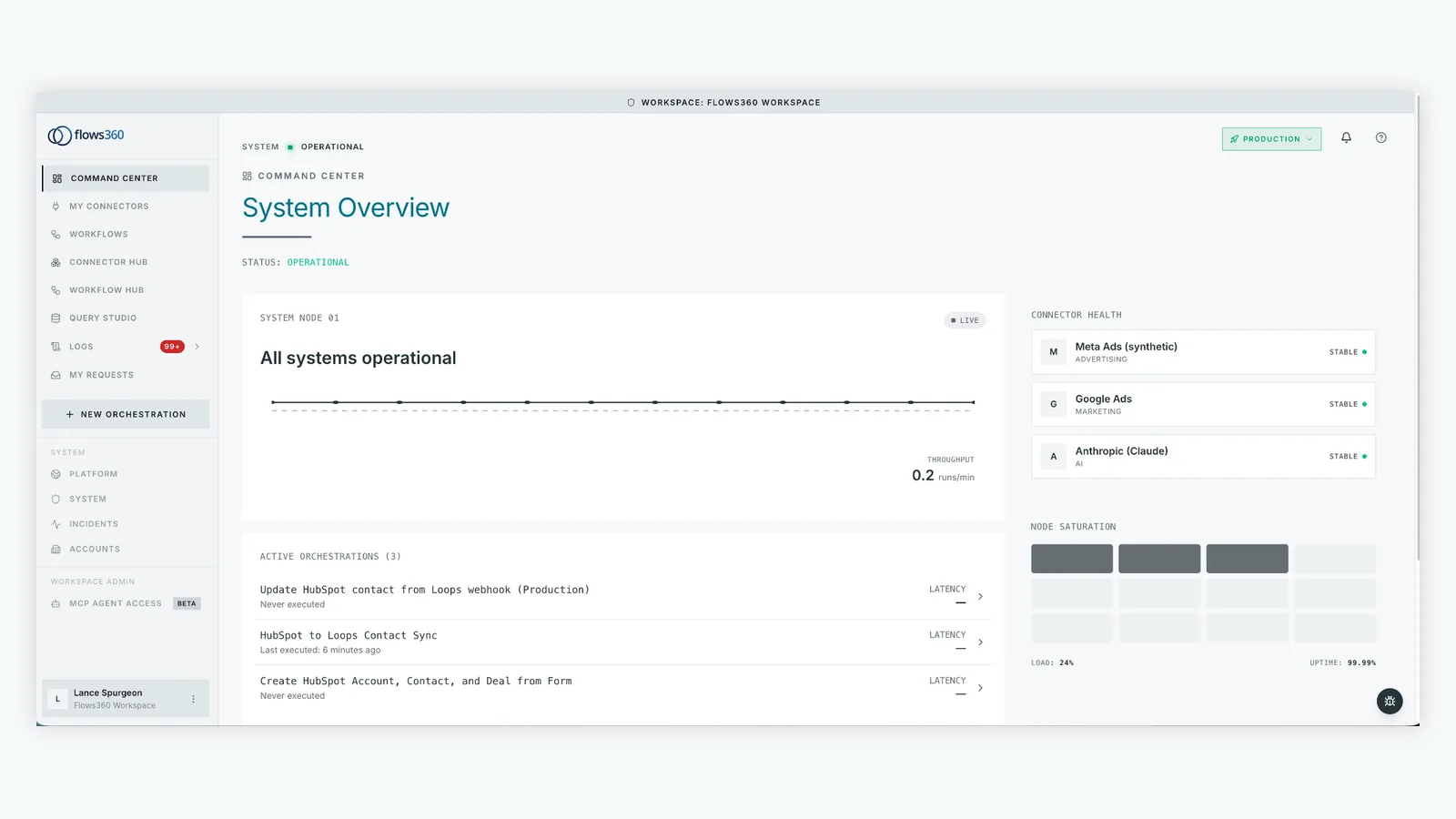
That’s where platform choice matters. You need a solution that doesn’t just connect systems, but orchestrates workflows across them with precision and control. Flows360 is purpose-built for operations teams managing exactly this complexity: multi-system data coordination, governed automation, and real-time visibility across fragmented platforms.
See where your workflows are leaking time?
Key Capabilities You Actually Need
When you’re evaluating platforms, here are the non-negotiable capabilities:
- Real-time data connectivity: Not weekly syncs. Not nightly batch jobs. Real-time, bidirectional flow between Salesforce, Gainsight, Zendesk, and your other systems. Changes in one platform reflect instantly in another.
- Workflow orchestration across systems: The ability to build multi-step workflows that span platforms. Example: when a customer’s health score drops in Gainsight, automatically create a Salesforce task, send a Slack message to the CS team, and trigger a support escalation in Zendesk. All in one workflow, no code required.
- Health score and churn prediction: Clean data + machine learning = predictive insights. You should know which customers are at risk before they tell you, and which accounts are expansion-ready before your sales team asks.
- Governed automation: You need full visibility into what’s automated. Audit trails, approval workflows, and compliance controls built in. Enterprise CS teams can’t afford black-box automation.
- Playbook execution: Pre-built or custom playbooks that execute automatically based on customer signals. At-risk playbook, expansion playbook, onboarding playbook, renewal playbook. Consistency at scale.
- Team coordination features: Alerts, task routing, and Slack/Teams integration so the right person knows about priority changes instantly.
Most platforms offer some of these. The best ones (and the ones your operations team should seriously evaluate) excel at all of them.
How Data Orchestration Actually Improves Outcomes

You want results, not features. Here’s what teams see when orchestration is working:
- Faster churn identification: Leading indicator detection (support tickets, engagement drop, product usage decline) automatically triggers escalation workflows. Your team catches customers at risk days or weeks earlier.
- Higher renewal rates: Proactive outreach based on unified health signals, not gut feeling. CS managers can focus on relationship-building instead of data-gathering.
- More efficient expansion: Sales and success teams see the same expansion opportunities at the same time. No more gaps between what success identifies and what sales closes.
- Less manual work: CS managers report 20-30% time savings from eliminating manual data entry, report pulls, and system updates. That’s 10-15 hours per week redirected toward customer relationships.
- Better decision velocity: Operations leaders get real-time visibility into book of business health, retention metrics, and expansion pipeline. Decisions that used to take a week now take a day.
According to research from McKinsey on AI adoption in operations, organizations that implement data orchestration and automation see measurable improvements in decision velocity and operational efficiency. The pattern is consistent: unified data + coordinated workflows = faster, better outcomes.
Choosing the Right Orchestration Platform for Your Stack
You’ve got options. Here’s how to think about them:
If you’re deeply invested in Salesforce and need a Salesforce-native solution: Gainsight is the category leader. Strong health scoring, built-in playbooks, tight SF integration. Good for teams that want everything Salesforce-adjacent.
If you’re using multiple best-of-breed tools and need them to work together: You need a true orchestration platform that treats each system equally. Flows360 is designed exactly for this use case: connecting Salesforce, Gainsight, Zendesk, HubSpot, Stripe, Slack, and dozens of other systems in real-time. Your CS data lives in Gainsight, your billing data in Stripe, your support data in Zendesk. Orchestration makes them behave like one unified system.
If you’re looking for simple health scoring and playbooks: ChurnZero and Totango are solid mid-market options with faster setup and lower complexity than Gainsight.
If data governance and auditability are non-negotiable: You need a platform built for compliance and control from the ground up. Generic workflow tools aren’t designed for governed automation at enterprise scale.
The critical question: Does the platform treat your CS tool as the center of the universe, or does it treat all your systems as equal partners? If your success data is also managed in Salesforce, HubSpot, or other systems outside Gainsight, you need orchestration that connects them all in real-time without forcing you into a single tool.
Getting Started With Data Orchestration
Implementation typically follows this pattern:
- Map your current data flows: Document where customer data lives (Salesforce, Gainsight, Zendesk, etc.) and how it currently moves between systems. Identify manual handoffs, data delays, and missing connections.
- Define your priority workflows: Start with one high-impact workflow: churn detection, expansion identification, or renewal management. Get that working smoothly before scaling.
- Build and test orchestration: Set up real-time connections between your systems. Build the workflow. Test it with historical data. Validate the logic with your team.
- Enable your team: Training your CS team on new workflows is critical. They need to understand what’s automated, what triggers workflows, and how to respond when orchestration surfaces insights.
- Monitor and iterate: Track outcomes (churn rate, time to detect risk, CS productivity). Adjust workflows based on what you learn. Orchestration is iterative, not set-and-forget.
Timeline: Most teams can get their first orchestration workflow running in 2-4 weeks. Full implementation across multiple workflows typically takes 8-12 weeks, depending on system complexity and team bandwidth.
The Bottom Line on Data Orchestration
Customer success data orchestration isn’t a luxury feature. It’s foundational infrastructure for scaling customer relationships in 2026. Your competitors are already using it to detect churn earlier, identify expansion faster, and enable their CS teams to operate proactively instead of reactively.
The platforms that excel at this combine real-time connectivity, governed automation, and predictive intelligence. Evaluate based on your specific system stack, not just category leadership. If you’re using multiple best-of-breed tools (which most enterprise CS teams are), you need orchestration that treats each system as a first-class citizen.
What’s the difference between data integration and data orchestration?
Integration moves data from one system to another. Orchestration coordinates workflows and decisions across multiple systems based on that data. Integration is one-directional. Orchestration is bidirectional and event-driven. Example: integration syncs Salesforce data to Gainsight nightly. Orchestration watches for health score changes in Gainsight and immediately creates tasks in Salesforce, sends Slack notifications, and triggers support escalations in Zendesk.
How long does implementation typically take?
Your first orchestration workflow can be live in 2-4 weeks. Full implementation across 3-5 workflows typically takes 8-12 weeks. Timeline depends on system complexity, data quality, and team availability. Most teams start with one high-impact workflow (churn detection or expansion identification) and scale from there.
Do I need to replace my existing CS platform to use orchestration?
No. Orchestration platforms are designed to sit on top of your existing stack and coordinate data and workflows across it. You can keep Gainsight, ChurnZero, Salesforce, and Zendesk exactly as they are. Orchestration connects them and automates workflows without requiring platform consolidation.
How do you measure success from data orchestration?
Track these metrics: time to detect churn (baseline vs. post-orchestration), churn rate, renewal rate, expansion win rate, and CS manager time spent on data work vs. customer engagement. Most teams see 15-30% improvements in churn detection speed and 20-30% time savings for CS managers within the first 90 days of implementation.
See where your workflows are leaking time?