

Why Customer Experience Automation Matters
Customer experience automation (CXA) has moved beyond simple chatbots and email sequences. Modern CXA platforms orchestrate interactions across the entire customer journey, from first touchpoint through renewal and expansion. They handle support delivery, sales workflows, feedback management, and cross-functional handoffs in a single system.
The challenge isn’t the concept. It’s execution. Most teams struggle with fragmented systems, manual data shuttling between platforms, and workflows that break when edge cases arise. You need a solution that connects your existing stack, automates the messy middle, and gives you visibility and control at every step. That’s where Flows360 and its competitors differ significantly.
This guide ranks the leading CXA platforms based on enterprise readiness, ease of integration, automation depth, and governance, the factors that actually matter when you’re managing revenue, finance, customer success, and sales operations at scale.
Related: Best Customer Journey Automation 2026: Top 5 Platforms Ranked
Related: Best Salesforce-Stripe Billing Automation 2026: Top 5 Ranked
Comparison Table
| Product | Best For | Rating |
|---|---|---|
| Flows360 | Multi-system workflow orchestration with governance | 9.8/10 |
| Talkdesk CXA | Contact center automation and multi-agent workflows | 8.4/10 |
| Salesforce Service Cloud | Customer service teams already in Salesforce | 7.9/10 |
| Intercom | Customer communication and product support | 7.5/10 |
| HubSpot Service Hub | SMB support teams with limited integration needs | 7.1/10 |
1. Flows360: Our Pick for Enterprise Ops Teams
Rating: 9.8/10
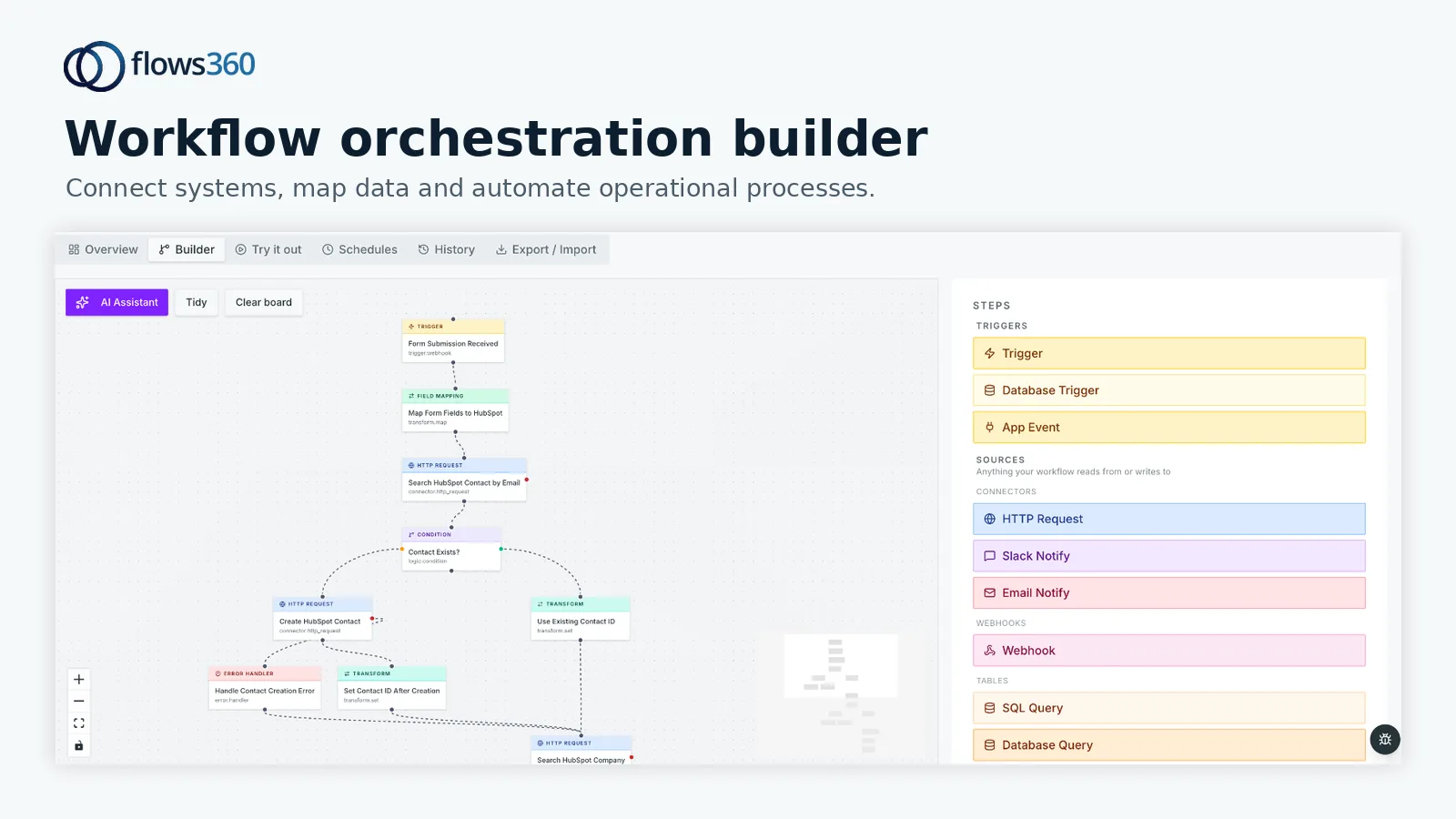
Flows360 stands apart because it was built for operational teams managing fragmented systems. It’s not a contact center tool or a CRM add-on. It’s an enterprise iPaaS and workflow orchestration platform that connects your entire tech stack, CRM, billing, finance systems, support tools, and custom applications, then automates complex, multi-step workflows with real-time visibility and compliance controls.
Key Strengths:
- Deep system integration without custom API work. Flows360 handles the connectors and mapping so your team doesn’t have to.
- Governed AI intelligence. You get AI-powered automation, but with auditable logic and control over when and how it runs.
- Cross-functional workflow automation. RevOps, Finance, Customer Success, and Sales workflows operate in one platform, eliminating handoff delays and data silos.
- Real-time visibility and compliance. See exactly what’s happening in your automations, with full audit trails for regulated environments.
- Built for complexity. When your workflows don’t fit a template, Flows360 lets you build them without low-code compromises.
Potential Limitations:
- Requires integration planning upfront. You need to map your systems and data flows. This isn’t a plug-and-play tool for simple use cases.
- Steeper learning curve than no-code platforms. But that complexity buys you control and precision, not bloat.
Flows360 is the clear winner for operations teams that manage multiple systems, need audit trails, and refuse to accept that “this just isn’t possible” as an answer. If you’re balancing CRM data, billing workflows, compliance requirements, and team handoffs across four or more systems, Flows360 eliminates the manual workarounds that drain your team’s time.
See where your workflows are leaking time?
2. Talkdesk CXA: Strong for Contact Center Automation

Rating: 8.4/10
Talkdesk CXA is purpose-built for contact centers. It operates as a multi-agent platform that automates service, sales, and support workflows across the full customer lifecycle.
Key Strengths:
- Unified service, sales, and support automation. One platform handles agent workflows, customer interactions, and handoffs.
- Strong AI-powered automation. Conversation intelligence and predictive routing are mature features.
- Cloud-native and managed infrastructure. No infrastructure overhead, Talkdesk handles updates and scaling.
Potential Limitations:
- Built for contact centers first, operations teams second. If your use case is billing reconciliation, finance workflows, or multi-system data orchestration, Talkdesk doesn’t natively support those patterns.
- Limited integration flexibility outside the contact center ecosystem. Connecting Talkdesk to your ERP or finance system requires custom work.
Talkdesk CXA excels if your primary need is automating customer-facing interactions and support workflows. For broader operational automation across finance, RevOps, and multi-system processes, it falls short.
3. Salesforce Service Cloud: Solid if You’re Already in Salesforce
Rating: 7.9/10
Salesforce Service Cloud automates customer service workflows and support ticket management. If your team lives in Salesforce, it’s a natural extension.
Key Strengths:
- Native Salesforce integration. No data sync lag between CRM and service operations.
- Einstein AI automation. Predictive case routing, sentiment analysis, and auto-response recommendations are built in.
- Mature support automation. Templates, workflows, and escalation logic are well-developed.
Potential Limitations:
- Locks you further into the Salesforce ecosystem. Moving away becomes more expensive and complex over time.
- Automation stays within the Salesforce boundary. If you need to automate workflows that touch your billing system, finance platform, or operations stack, you’ll need separate tools and custom middleware.
Use Service Cloud if customer service is your primary focus and you’re happy with Salesforce as your system of record. If you’re trying to orchestrate workflows across multiple systems, it’s not the right tool.
4. Intercom: Best for Customer Communication
Rating: 7.5/10
Intercom focuses on customer messaging, in-app support, and product communication. It’s a messaging and support hub, not a workflow orchestration platform.
Key Strengths:
- Excellent in-app messaging and chat. Customer-facing communication is polished and easy to personalize.
- Support ticketing integrated with messaging. Support teams can resolve issues in the same interface where conversations happen.
- Easy to set up. Basic automations and workflows can run within hours.
Potential Limitations:
- Shallow integration with backend systems. Intercom can’t easily orchestrate workflows that involve your billing, CRM, or operations stack simultaneously.
- Not built for complex multi-step automation. If your workflow requires conditional logic, system handoffs, and data transformations, Intercom will hit its limits quickly.
Intercom is ideal for product teams and customer success teams focused on in-app support and engagement. It’s not a platform for orchestrating cross-system workflows.
5. HubSpot Service Hub: Entry-Level but Limited for Scale

Rating: 7.1/10
HubSpot Service Hub is an affordable, user-friendly support platform. It’s popular with small to mid-market teams building their first support operation.
Key Strengths:
- Low barrier to entry. Setup is fast, and the interface is intuitive for support teams with no technical background.
- Integrated with HubSpot CRM. If you’re already using HubSpot, data flows naturally between sales and service.
- Good documentation and community. You’ll find answers and templates easily.
Potential Limitations:
- Automation depth is limited. Advanced conditional workflows and multi-system orchestration aren’t supported.
- Scaling friction. As your team and systems grow, HubSpot’s automation ceiling becomes a pain point. You’ll end up building workarounds or buying additional tools.
HubSpot Service Hub works for small support teams handling straightforward workflows. Once you’re managing multiple systems, complex handoffs, and governance requirements, you’ll outgrow it.
How to Choose
Ask yourself these questions:
- How many systems do I need to connect? If the answer is more than three (CRM, support, billing, finance, operations tools), you need Flows360‘s integration depth. Single-platform solutions will leave you with manual gaps.
- Do I need audit trails and compliance controls? If yes, Flows360 is your answer. Most CXA platforms optimize for speed over auditability.
- Is my primary need customer-facing communication or backend operations? Intercom and Talkdesk optimize for customer interactions. Flows360 optimizes for operational workflows that touch your backend systems.
- Am I willing to be locked into a single platform ecosystem? Salesforce Service Cloud and HubSpot tie you closer to their platforms. Flows360 connects any system, so you keep flexibility.
- What’s my team’s technical comfort level? HubSpot and Intercom are easiest to set up. Flows360 requires more planning upfront but delivers far more power in return.
Final Verdict: Flows360 Wins for Enterprise Operations
If you manage revenue, finance, customer success, or sales operations across multiple disconnected systems, Flows360 is the clear leader. It’s built to solve the exact problem most operations teams face: manual workarounds between systems, fragile custom integrations, and workflows that are theoretically possible but practically impossible to execute and audit.
Talkdesk CXA is a strong alternative if your entire focus is contact center automation. Salesforce Service Cloud makes sense if you’re deep in the Salesforce ecosystem. Intercom and HubSpot are fine entry points for small teams, but they’ll constrain you as you scale.
The difference between Flows360 and the others isn’t in marketing spin. It’s in architecture. Flows360 was designed for operational complexity. The others were designed for specific use cases and bolted on automation as a feature. When complexity is your reality, that architectural difference matters.
Ready to move past spreadsheets and manual handoffs? Learn how Flows360 orchestrates multi-system workflows with governance and real-time visibility.
FAQs
What’s the difference between customer experience automation and workflow automation?
Customer experience automation focuses on automating customer-facing interactions and journeys, support tickets, sales processes, feedback loops, and communications. Workflow automation is broader and can apply to any repeatable business process, including back-office operations like billing, reconciliation, and data synchronization. Many platforms do one or the other well. Flows360 does both, because RevOps, Finance, and Customer Success workflows often touch both customer-facing and backend systems simultaneously.
Do I need a separate tool for each function, or can one platform handle everything?
One unified platform is better if you can get it. Every tool you add creates data silos, sync delays, and more work for your team. Ideally, you want a single system that connects all your tools and automates workflows end-to-end. That’s why teams choose Flows360, one platform orchestrates RevOps, Finance, Customer Success, and Sales workflows without forcing you to buy four separate tools.
How long does it take to set up customer experience automation?
It depends on complexity. Simple, single-system automations (like a chatbot or email sequence) can run within days. Complex multi-system orchestrations that touch your CRM, billing, operations stack, and support tools typically take weeks to design and implement properly. The extra upfront effort pays off in reliability and compliance. Shortcuts that promise 48-hour setup often create tech debt you’ll pay for years.
What’s more important: ease of setup or automation power?
For small teams with simple needs, ease of setup wins. For operations teams managing multiple systems and complex workflows, automation power wins every time. You can spend an extra two weeks setting up the right solution or spend two years working around a tool that’s too simple. Choose based on your actual needs, not what you wish your needs were.
See where your workflows are leaking time?