

Your finance team is drowning in manual data entry. The ERP doesn’t talk to your accounting software. Banking data arrives in spreadsheets. Customer invoices live in three different places. You’re not alone, this fragmentation is killing efficiency across finance organizations right now.
The good news: you don’t need to rip and replace everything. What you need is a smart way to connect multiple systems for finance teams so data flows automatically and accurately where it needs to go. When your tools work together, your team stops doing busywork and starts doing strategy.
Related: Best AI Tools for Reconciliation: Flows360’s Guide to 2026
Related: 5 Steps to Reconcile Your Account: Complete 2026 Guide
Let’s walk through what actually works and why integration matters more than you might think.
Why Finance Teams Are Prioritizing System Integration First
Here’s what IDC’s 2026 research is showing: finance organizations are consolidating and integrating their stacks before they automate. That’s a shift. It means you can’t just bolt workflows onto broken foundations and expect results.
Related: How to Automate Revenue Operations Workflows in 2026
When systems don’t connect, you get:
- Manual reconciliation that takes hours every week
- Data discrepancies between departments
- Lost visibility into cash flow and AR aging
- Compliance gaps because nobody knows which system is the source of truth
The real cost isn’t just time. It’s accuracy. One bad number propagates through your whole financial picture. Flows360 exists to solve exactly this problem, connecting your fragmented systems so data stays clean and auditable from end to end.
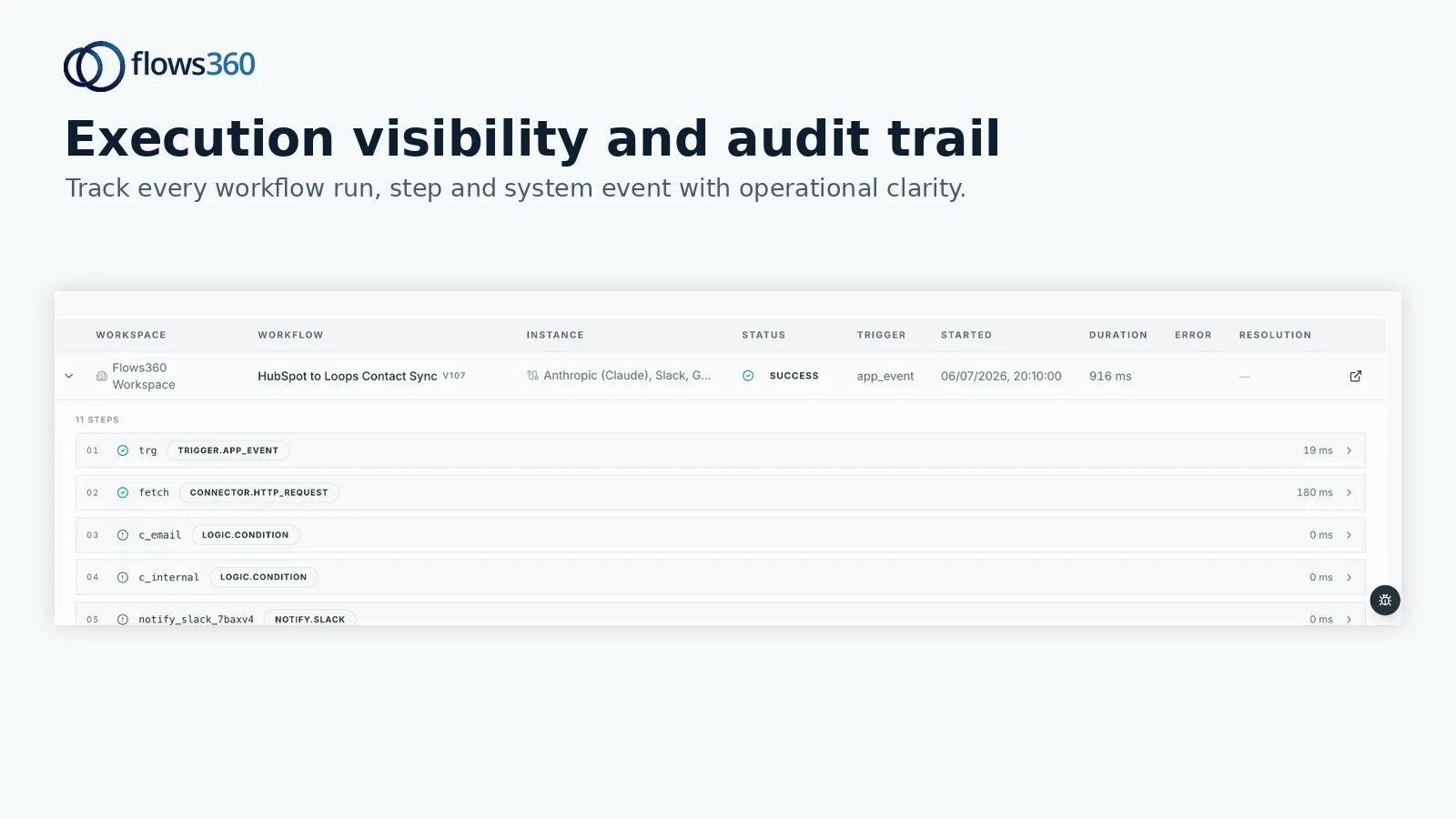
Connected systems mean:
- Data syncs automatically between ERP, CRM, and accounting tools
- Errors get caught early, not discovered in month-end close
- Your team has real-time visibility into what’s actually happening
- Compliance becomes built-in, not bolted on
The Key Systems Your Finance Stack Needs to Connect
Not every finance team uses the same tools. But most are managing at least a few of these:
- ERP (NetSuite, SAP, Microsoft Dynamics): Your system of record for transactions. It needs to push and pull data without manual intervention.
- Accounting Software (QuickBooks, Sage, Xero): Often runs in parallel with your ERP. Banking feeds should flow here automatically.
- CRM (Salesforce, HubSpot): Closed deals and customer data need to map to AR and revenue recognition without re-entry.
- Banking Platforms: Cash positions, transaction data, and reconciliation details should sync directly into your GL.
- HRMS (Workday, BambooHR): Payroll and expense data that feeds into AP and P&L.
- eCommerce Systems: Order and customer data that drives billing and revenue forecasting.
The connective tissue between these tools is what separates finance teams that close in 3 days from teams that close in 10. You’re looking for a platform that can orchestrate data flow reliably, with full visibility into what moved and when.
What Integration Actually Solves for Finance Operations
You’re not paying for integration just to feel modern. Here’s what it does:
Eliminates manual data entry across systems. When your CRM syncs with your ERP, new customers don’t need to be entered twice. Invoice data doesn’t need to be typed into three places. That’s hours back per week per team member.
Improves data accuracy immediately. One version of the truth reduces reconciliation time and catches errors before they compound. Your AR team stops chasing phantom invoices because billing matches what actually happened.
Gives you real-time visibility. Instead of running reports that are already out of date, you see live data. Cash position, AR aging, vendor balances, expense status. That’s not just nice to have, that’s critical for decision-making.
Builds in compliance from day one. Every sync is logged. Every transformation is auditable. You’re not scrambling to explain where a number came from during an audit because the system already knows and has the trail.
Handles multi-step workflows without breaking. Revenue recognition needs GL entries, AR updates, and reporting adjustments all in the right order. Connected systems orchestrate those steps. Flows360 manages the complexity so you don’t have to babysit fragile integrations.
See where your workflows are leaking time?
Building Your Integration Strategy Before You Automate

Here’s the playbook that actually works:
Step 1: Audit what you’re currently using. Map your ERP, accounting software, CRM, banking, and any other critical tools. Note where data is being manually re-entered or where systems are out of sync.
Step 2: Identify your source of truth for each data type. Is your ERP the master record for customers? Or is it your CRM? For cash, is it your bank feed or your GL? Clarity here prevents infinite loops and conflicts.
Step 3: Plan integration flow, not just connectivity. Don’t just connect systems randomly. Design the path data takes: ERP > Accounting > CRM for billing. Bank feed > GL > Treasury dashboard. That intentional flow is what creates accuracy.
Step 4: Add governance and validation rules. Once systems are connected, errors can propagate faster. Build in checks: does the invoice amount match the contract? Is the customer in the right AR bucket? These rules prevent garbage-in, garbage-out.
This is where most teams stumble. They wire systems together without strategy, then wonder why their data is worse than before.
The Real Impact: What Connected Finance Operations Look Like
When you get this right, month-end close becomes predictable. Your team isn’t fighting with data, they’re analyzing it. AR and AP reconciliation doesn’t require a weekend warrior session. Revenue recognition happens automatically and correctly.
Related: Best Automated Account Reconciliation for Finance 2026: Top 5 Ranked
You’re also in a position to invest in the next layer: FP&A, forecasting, and strategic analysis. CFOs in 2026 are focused on AI, predictive capabilities, and GTM engineering. But none of that works if your foundation is broken. Integration is the foundation.
That’s why connecting multiple systems for your finance operation isn’t optional anymore. It’s the baseline expectation for teams that want to compete.
Choosing a Platform That Actually Works for Finance Integration
When you’re evaluating integration solutions, skip the feature checklist. Instead, ask:
- Can it connect my specific ERP and accounting tools without custom code?
- Is there a way to audit every data change for compliance?
- If something goes wrong mid-sync, can I see exactly where and roll back?
- Can I build multi-step workflows where one system’s output feeds another system’s input?
- Does it give my team visibility without requiring them to be engineers?
You want deterministic, auditable integration. Not “good enough.” Not “mostly works.” Finance teams operate with precision or they don’t operate at all.
Flows360 was built from the ground up for this. It handles ERP, CRM, banking, and accounting system integration with governed workflows, real-time visibility, and full compliance controls. No custom development needed for most configurations. Your team gets to orchestrate integrations instead of waiting for IT.
Common Questions About Connecting Finance Systems

How long does it take to integrate multiple finance systems?
Depends on complexity. Simple integrations (banking to GL, CRM to AR) can be operational in days. Multi-step workflows with validation rules and cross-system dependencies take weeks. The key is planning upfront so you’re not re-architecting halfway through.
Will integrating our systems break existing workflows?
Not if you plan correctly. Map your current workflows first, then design integrations to enhance them, not replace them. Run parallel until you’re confident the new flow is accurate. A good integration platform lets you test and validate before going live.
What if our systems don’t have pre-built connectors?
Most modern ERP and accounting platforms have APIs and connector libraries now. If something is custom or legacy, you have options: middleware platforms, scheduled file exchanges, or custom API bridges. The cost-benefit calculation shifts based on how critical the connection is to your daily operations.
How do we maintain data accuracy across all systems once they’re connected?
Governance rules, validation checks, and audit logging. Define what “correct” looks like for each data type, then automate the rules that enforce it. Monitor the audit trail. When something doesn’t match, you know immediately where and why. That visibility is what turns integration from risky to powerful.
See where your workflows are leaking time?