

Stripe reconciliation is one of those operational tasks that looks simple until you’re staring at a spreadsheet at 11 PM trying to figure out why your bank statement doesn’t match your payment processor. The good news: there’s a repeatable system that works, and it starts with one core principle: reconcile frequently and automate relentlessly.
Let’s walk through the exact practices that keep your payment records accurate, your accounting team sane, and your cash flow visible.
Start with Weekly Reconciliation Cycles
Monthly reconciliation is already too late. By the time you catch a discrepancy 30 days after it happened, you’ve got a mess on your hands: confused customers, accounting adjustments, and wasted hours tracing the problem.
Run reconciliation at least weekly. Most teams doing this well actually hit it twice a week or even daily for high-volume operations. The frequency depends on your transaction volume, but the principle is the same: small, frequent checks beat one giant monthly audit.
Related: Finance Operations System Integration & Reconciliation Guide
Why? Early discrepancy detection prevents downstream headaches. A $500 mismatch found on Wednesday is five minutes of work. That same mismatch found on day 25 of the month becomes an investigation.
Leverage Stripe’s Payout Reconciliation Report
Stripe gives you a built-in tool for this: the Payout Reconciliation Report. This is your baseline document. It matches your bank account payouts with the actual payment batches and transaction records from Stripe.
Here’s the workflow:
- Pull the Payout Reconciliation Report from your Stripe Dashboard
- Export it to CSV and compare it against your accounting system (QuickBooks, Netsuite, whatever you use)
- Match transactions by amount, date, and payout ID
- Flag anything that doesn’t line up
The report shows you exactly what Stripe sent to your bank account and when. That’s your source of truth. If your general ledger shows something different, you’ve got a problem to solve.
Include Invoice and PO Numbers in Payment References
This is the small practice that saves hours. When customers pay or when you process refunds, include the invoice number or PO reference in the payment description field. When a customer asks about a specific payment three months later, you’ll find it in seconds instead of scrolling through hundreds of transactions.
More importantly for reconciliation: that reference number becomes your primary matching key. Instead of matching only on amount and date (which can create false positives when multiple transactions are identical), you match on the invoice number first. Discrepancies become obvious immediately.
If you’re processing payments programmatically, include this metadata in the API call. Flows360 can help you automate this across all your payment channels so nothing gets missed.
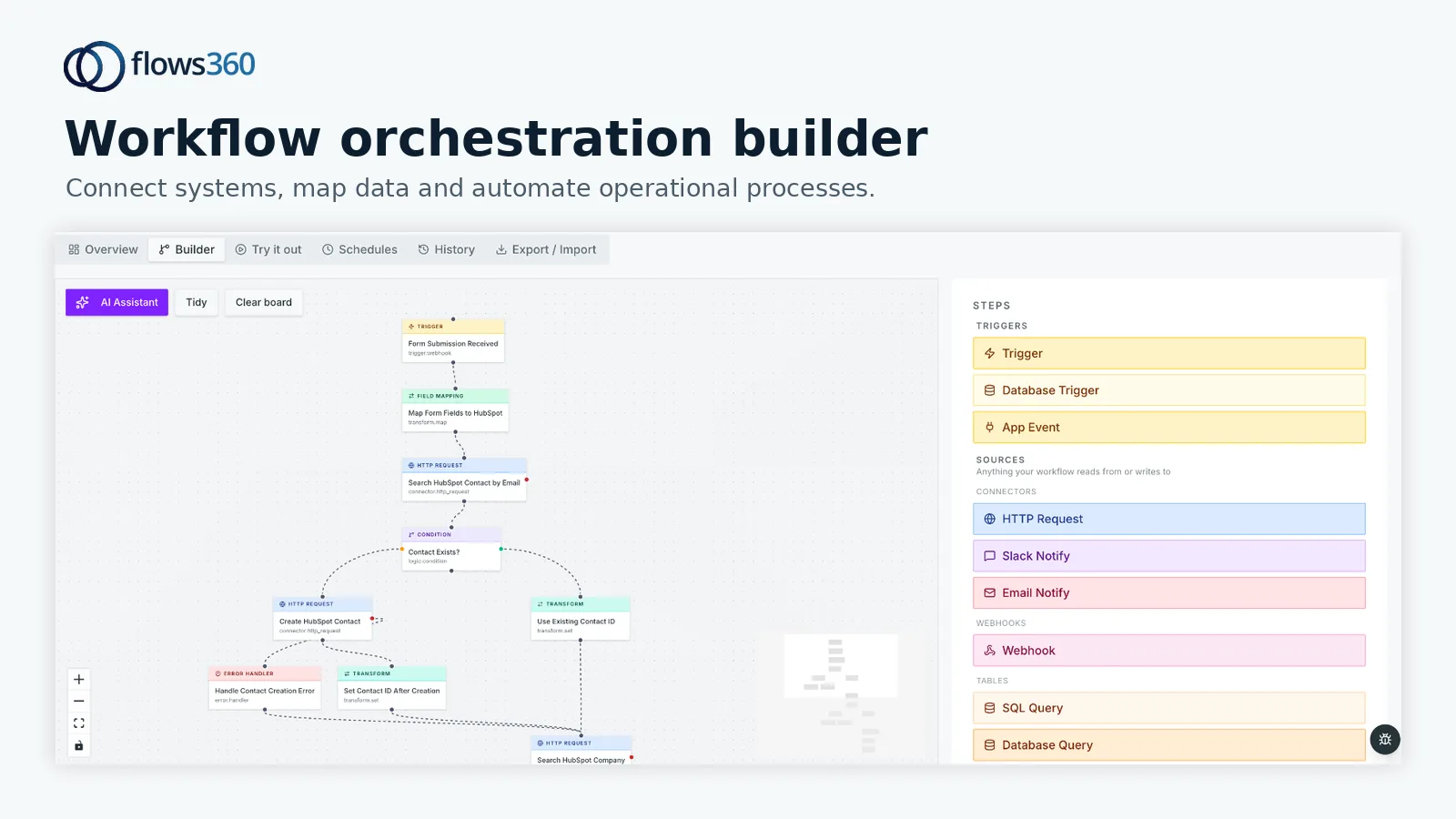
Automate Your Reconciliation Process

Manual reconciliation is the enemy. It’s slow, error-prone, and the same person who reconciles payments is also doing twelve other things. The moment you automate it, the errors drop off a cliff.
What should be automated?
Related: Best Automated Payment Reconciliation Workflows 2026: Top 5 Ranked
- Pulling the Payout Reconciliation Report from Stripe on a set schedule
- Fetching transactions from your accounting system
- Matching transactions by invoice number, amount, and date
- Flagging mismatches automatically
- Sending alerts to your finance team when something doesn’t reconcile
This isn’t about spreadsheet formulas. You need a system that can connect Stripe directly to your accounting platform and run the comparison without human hands touching it. When a reconciliation is complete, your team gets a report. When something’s wrong, they get an alert before it becomes a problem.
Tools like Flows360 are built for exactly this kind of orchestration. You set the rules once, and the system runs them reliably every single time.
See where your workflows are leaking time?
Reduce Failed Payments and Fraud Issues Upfront
The more transactions fail or get flagged as fraudulent, the more reconciliation exceptions you’ll have to handle manually. Proactive payment management means fewer problems to reconcile in the first place.
Set up Stripe’s fraud prevention tools. Use 3D Secure authentication for high-risk transactions. Monitor for unusual patterns. Retry failed payments with the right logic (don’t hammer a card that’s expired; fix the card first).
Recurring billing should be automated too. When subscriptions renew automatically, they’re easier to track and reconcile because they’re predictable. Manual one-off payments create more variance and more exceptions.
Strategic Timing and Consolidation Matter
Stripe processes payouts on a schedule you control. Most teams use daily or weekly payouts. The timing you pick affects how messy reconciliation gets.
If you have multiple revenue streams (subscription billing, one-time payments, marketplace payouts), consider consolidating payouts into a single batch when possible. One payout per week is much simpler to reconcile than seven small payouts spread across different days.
That said, some teams need daily payouts for cash flow reasons. The point: be intentional about your payout schedule. Don’t just leave it on the default. Your choice here directly impacts your team’s reconciliation workload.
Build Auditability Into Your System

Reconciliation is only valuable if you can prove what happened. That means every transaction needs a traceable path from Stripe to your bank to your accounting system.
Keep records of:
- When reconciliation ran
- What transactions matched
- What mismatches were found and how they were resolved
- Who approved any adjustments
This audit trail protects you during financial reviews, tax audits, and customer disputes. It also makes it dead simple to spot patterns (like a customer who always disputes charges or a payment method that consistently fails).
Related: How Payment Automation Impacts Financial Workflows: A Guide
Most accounting teams are already thinking about this because of SOX compliance or their auditors. The workflow orchestration layer in Flows360 automatically logs every step of your reconciliation process, so you’re never guessing about what happened or when.
Monitor for Edge Cases and Exceptions
Not every transaction reconciles perfectly on the first pass. Refunds process on different timelines than captures. Currency conversions add rounding. Chargebacks create their own chaos.
Set up automated alerts for:
- Transactions older than 48 hours that haven’t reconciled
- Negative adjustments over a certain threshold
- Refunds that don’t have a matching original charge
- Payout amounts that differ from expected totals by more than a small percentage
These exceptions need human attention, but only the exceptions. Your system should handle 95% of reconciliation automatically and flag the 5% that needs investigation.
This is where having a purpose-built platform makes the difference. Instead of managing a dozen disconnected tools and spreadsheet logic, you get one place to define your rules, see your exceptions, and resolve them quickly.
Integrate Your Full Payment Ecosystem
Most teams don’t process payments through Stripe alone. You might also use PayPal, Square, ACH transfers, or wire payments. Each one needs to be reconciled separately and then consolidated into your general ledger.
This is where reconciliation gets complex, and where manual processes fall apart completely. You need a system that can pull data from all your payment channels, normalize it, and match it all against your accounting records in a single workflow.
Flows360 handles this by connecting your payment processors, your accounting system, and your bank simultaneously. One workflow, multiple sources, single source of truth.
Document Your Reconciliation Process
Write down what you’re doing. When does reconciliation run? What system owns the source of truth? How do you handle mismatches? Who gets notified when something breaks?
This documentation isn’t busywork. It’s the foundation for hiring, training, and troubleshooting. When someone new joins your finance team or when something goes wrong at 2 AM, your process documentation is what saves you.
It also forces you to be intentional about your own practices. Writing it down reveals gaps and assumptions you didn’t know you had.
What’s the most common reason reconciliation fails?
Missing or mismatched reference numbers. When payments don’t have invoice numbers or PO references, they become nearly impossible to match reliably. Start here if your team is drowning in reconciliation work.
How often should I reconcile Stripe payments?
Weekly as a minimum for most businesses. High-volume operations often reconcile daily. The key is catching discrepancies early before they cascade into accounting problems. Once a month is too late.
Can I automate reconciliation completely?
Almost. Most teams automate 90-95% of the process and leave the final 5-10% (exceptions, edge cases, chargebacks) for human review. Complete automation is possible but usually not worth the added complexity. You want a system that runs the routine stuff reliably and surfaces only the exceptions that need thinking.
What happens if my Stripe balance doesn’t match my bank account?
See where your workflows are leaking time?