

Revenue operations workflows are killing your team’s productivity. Your sales reps are logging calls manually. Your finance team is copying data between systems. Your customer success managers are chasing down updates that should sync automatically. And nobody’s looking at the bigger picture because everyone’s stuck in the weeds.
The good news: automating revenue operations workflows isn’t some distant dream. It’s doable right now, and it starts with understanding what you’re actually trying to solve.
Step 1: Map Out Your Current Revenue Workflows (The Messy Truth)
Before you automate anything, you need to see what’s actually happening. Not what should be happening. What’s really happening.
Sit down with your team and document the workflows that touch revenue. Here’s what to look for:
- CRM data entry (manual contact creation, opportunity updates, deal stage changes)
- Call logging and transcription syncing
- Lead scoring and routing to sales
- Contract management and approval flows
- Renewal pipeline visibility
- Commission calculations and payouts
- Customer health scoring and handoffs to success
The point isn’t perfection. The point is visibility. Where are your people wasting time on tasks that don’t require human judgment?
Related: What Are the 5 Pillars of Customer Success? 2026 Framework
Step 2: Identify System Gaps and Data Silos
Revenue operations lives across multiple systems. Your CRM (Salesforce, HubSpot, Pipedrive). Your accounting software (NetSuite, Netsuite, Xero). Your communication tools (Slack, email, Outlook). Your customer data platform. Your analytics stack.
Related: Best NetSuite CRM Integrations for Revenue Teams 2026
Here’s the brutal reality: these systems don’t talk to each other by default. Data lives in silos. You sync manually. Mistakes happen. Deals fall through cracks.
When you’re automating revenue operations workflows, system integration is your foundation. You can’t automate what you can’t see across platforms.
Ask yourself:
- Where does critical revenue data exist in multiple systems?
- Which updates require manual copying or re-entry?
- What information is duplicated across tools?
- Where do teams wait for data to be manually gathered before they can act?
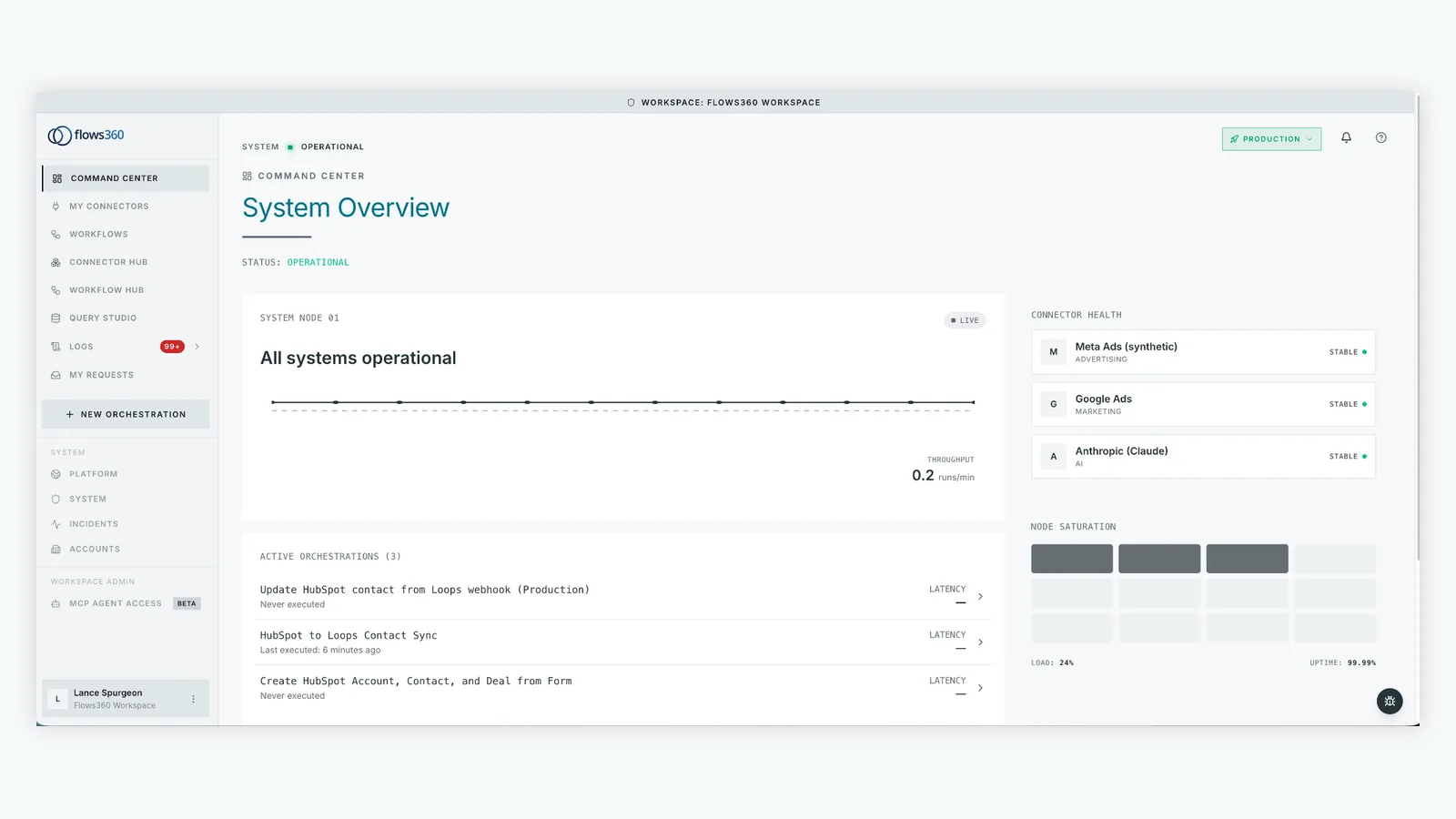
These pain points are your automation targets. Flows360 helps teams connect these fragmented systems so data flows automatically instead of getting stuck in manual handoffs.
Step 3: Build the Foundation with Deterministic System Integration
Automation without integration is just shuffling the same broken processes. You need to connect your core revenue systems first.
This means real integration, not band-aid connectors. Your CRM needs to talk to your accounting system. Your data warehouse needs to reflect what’s happening in your sales pipeline. Your customer success platform needs real-time data from your CRM about what just closed.
The workflows that matter most in revenue operations are the ones that:
- Move data across multiple systems automatically
- Prevent manual data entry
- Create visibility into revenue health across teams
- Enable sales, finance, and customer success to work from the same source of truth
When you have real system integration in place, you’re ready to automate the actual workflows on top of it.
Step 4: Automate the Repetitive, High-Volume Workflows

Now you’re ready to automate. But be strategic. Start with high-volume, low-complexity tasks that affect multiple team members.
Target these first:
- Lead routing and CRM updates: When a lead comes in, they should automatically be scored, assigned to the right rep, and logged in your CRM without human intervention.
- Call logging and transcription sync: Calls are recorded and transcribed. Notes sync automatically to the CRM. Your sales team doesn’t touch this manually.
- Deal movement notifications: When a deal moves to a stage, automatically notify the people who need to know (finance for new deals, customer success for closed-won deals).
- Renewal pipeline visibility: Contracts are monitored automatically. Renewals pop up in your pipeline 90 days before expiration, with all contract details already pulled in.
- Commission calculations: Deal data feeds into your commission engine automatically. Payroll doesn’t have to manually verify what closed and when.
Each of these workflows removes manual busywork from your team and lets them focus on actual revenue-driving activities.
Step 5: Add Governance and Auditability
Here’s where many automation projects fail: they build speed without control. Deals flow through your pipeline faster, but nobody can explain why. Commissions are calculated automatically, but finance can’t audit the logic.
When you automate revenue operations workflows, you need to maintain visibility and control. This means:
- Clear rules about what triggers what (if X happens, then Y follows automatically)
- Audit trails showing who did what and when
- Approval gates where human judgment is still required (not every decision should be automatic)
- Real-time visibility into what’s running and what’s failing
This is especially critical for finance-adjacent workflows. Your commission calculations, revenue recognition, and financial close processes all need to be auditable.
See where your workflows are leaking time?
Step 6: Implement AI-Native Learning for Revenue Insights
Once you’ve automated the workflows and unified your data, you can actually learn from your revenue operations. This is where 2026 RevOps strategy goes next.
AI-native platforms are shifting teams from reactive (automation for speed) to intelligent (automation for insight). Instead of just moving data faster, you’re learning from your consolidated revenue data.
This looks like:
- Real-time deal health scoring based on historical pipeline data
- Automatic identification of at-risk renewals
- Predictive revenue forecasting that reflects actual pipeline velocity
- Early warning signals when something’s off in your sales process
You’re not just automating workflows. You’re building intelligence into your revenue operations.
Step 7: Measure and Iterate

Automation is not a one-time project. It’s ongoing.
Related: Best Compliance Controls in Workflow Automation for 2026
After you’ve implemented workflows, track the impact:
- How much manual work did we eliminate? (hours per week saved)
- Did data accuracy improve? (fewer duplicate records, missing fields, sync errors)
- Are teams more responsive? (faster deal close times, quicker customer success handoffs)
- Is our forecasting better? (pipeline accuracy, fewer surprises)
These metrics should drive your next round of automation priorities. If your first workflow saved 8 hours per week, what’s the next one worth?
Common Automation Mistakes to Avoid
Before you start, watch out for these pitfalls:
- Automating bad processes: If your current workflow is broken, automating it just makes it faster at being broken. Fix the process first. Then automate.
- Losing the human element: Some decisions still require judgment. Commission disputes, customer escalations, deal structure decisions. Build workflows that route these to the right person, but don’t try to automate them away.
- Assuming all data is clean: Revenue data is messy. Before you automate anything, assume you’ll need to clean, validate, and standardize the data flowing between systems.
- Skipping the integration work: You can’t automate workflows across disconnected systems. You have to connect them first, and that’s the hard part. Don’t rush it.
Tools and Platforms to Consider
When you’re choosing how to automate your revenue operations workflows, you’re looking at a few categories of solutions.
There are point solutions that handle one specific workflow (call logging, lead routing, commission calculations). These are fast to implement but create new silos.
Then there are orchestration platforms that let you connect systems and build multi-step workflows. Flows360 is built for this exact use case: teams that need to automate complex, multi-system revenue workflows with governance and auditability built in.
The key difference: orchestration platforms give you flexibility. You’re not locked into pre-built workflows. You build exactly what your revenue operations needs, connecting your specific mix of systems and processes.
According to research from McKinsey on operational efficiency and enterprise automation, organizations that invest in enterprise-grade integration and orchestration see faster payback on automation initiatives compared to point solutions.
When you’re evaluating platforms, ask:
- Can it connect all your revenue systems (CRM, accounting, data warehouse, communication tools)?
- Can you build custom workflows without heavy coding?
- Do you get visibility into what’s running and full audit trails?
- Can it handle complex logic (conditional branching, error handling, manual approval gates)?
- Does it scale as your workflows get more sophisticated?
Getting Started This Week
You don’t need a six-month project to start automating revenue operations workflows. Pick one workflow. Map it out. Connect the systems it touches. Build the automation. Measure the impact.
Start with the workflow that’s causing the most pain right now. For most teams, that’s either CRM data entry or lead routing.
Once you’ve automated one workflow end-to-end, you’ll have momentum and confidence to move to the next one. And you’ll have a template for how your team approaches automation.
The revenue operations teams that win in 2026 aren’t the ones with the flashiest tools. They’re the ones that eliminated busywork, unified their data, and empowered their people to focus on actual revenue decisions. Automation is how you get there.
People Also Ask
What’s the difference between RevOps automation and general workflow automation?
RevOps automation is specifically about automating workflows that touch revenue data and processes. That means it involves strict governance, auditability, and cross-system coordination because errors in revenue workflows directly impact your business. General workflow automation is often simpler, single-system tasks that don’t require the same level of oversight.
How long does it take to automate a revenue operations workflow?
It depends on complexity, but a typical workflow (like lead routing or deal notification) can go from design to live in 2-4 weeks if your systems are already integrated. The longest part is usually mapping out the current workflow and identifying all the edge cases. The actual automation is faster than you’d think if you have the right platform.
Do we need custom coding to automate our RevOps workflows?
Not necessarily. Enterprise orchestration platforms like Flows360 are built to let operations teams build workflows through visual interfaces, not code. That said, if your workflows involve complex business logic or unusual integrations, custom development might be needed for part of it.
What’s the ROI on RevOps automation?
The clearest ROI is time savings. If a workflow takes 40 hours per month and automation cuts that to 5 hours, you’re saving 420 hours per year. At a loaded cost of $50/hour, that’s $21,000 in direct labor savings. But the bigger ROI is usually faster sales cycles, fewer errors, and better forecasting accuracy, which directly impact revenue.
See where your workflows are leaking time?