

Automating financial compliance workflows is no longer optional for finance teams juggling multiple systems, regulatory requirements, and manual processes. When you’re managing expense reports, payroll exceptions, and audit trails across fragmented tools, one small mistake can cascade into costly compliance violations.
The good news: you don’t need to overhaul your entire tech stack. By automating the right compliance workflows, you can cut manual work by 60-70%, eliminate data entry errors, and create an auditable trail that regulators actually want to see.
Let’s walk through exactly how to get there.
Why Automating Financial Compliance Workflows Matters Right Now
Finance leaders know the pain. You’re tracking regulatory requirements across multiple SaaS platforms. Your team is copying data between systems by hand. Compliance reports require painful manual consolidation. And every quarter, someone finds a discrepancy that triggers a scramble.
According to research from McKinsey on financial services automation, 91.4% of financial services leaders report that automation improves compliance and resilience. That’s not just efficiency, that’s risk reduction.
Related: How Payment Automation Impacts Financial Workflows: A Guide
Related: Data Transformation for Financial Compliance: A Complete Guide
Related: Governed AI for Operational Workflows: The 2026 Guide
Related: What Is a RevOps Platform? A Practical Guide for 2026
Related: Real-Time Visibility Into Revenue Operations: A Practical Guide
Automating financial compliance workflows specifically helps you:
Related: Automating Month-End Close Procedures: A Step-by-Step Guide
- Reduce human error. Manual data entry is where mistakes live. Automation removes the human touch from repetitive, high-stakes tasks.
- Create audit trails. Every workflow step is logged, timestamped, and traceable. Regulators see governance in action.
- Scale without headcount. As your SaaS portfolio grows, compliance tasks multiply, but an automated system scales without hiring more people.
- Meet deadlines consistently. Workflows run on schedule, not on whoever remembers to run them.
The Core Financial Compliance Workflows to Automate First
Not every process needs automation right now. Start with the workflows that cause the most pain and carry the highest compliance risk.
1. Payroll Exception Handling
Payroll exceptions, late timesheets, missing approvals, rate discrepancies, create compliance headaches. You need to flag these, route them to the right person, apply corrections, and log everything for audit purposes.
An automated payroll exception workflow catches errors before they hit the payroll system, routes exceptions to managers with context, and documents every decision. No exceptions slip through unreviewed.
2. Expense Management and Reporting
Expense reports are a compliance minefield. Policy violations, missing documentation, duplicate reimbursements, they’re easy to miss when you’re reviewing hundreds of reports manually.
Automating expense workflows means real-time policy checks, automatic flagging of non-compliant submissions, and standardized approvals. You’re enforcing policy at the point of submission, not after the fact.
3. Regulatory Data Collection and Submission
Whether you’re collecting data for tax filings, SOC 2 audits, or industry-specific compliance, you’re pulling data from multiple systems and formatting it for submission. This is manual, error-prone, and time-consuming.
An automated compliance data workflow pulls from your source systems, applies consistent transformations, and generates submission-ready reports. The data stays fresh and audit-ready without manual intervention.
How to Build Automating Financial Compliance Workflows Into Your Operation
The approach matters. You can’t just flip a switch and automate everything. You need a clear method that keeps control and visibility top of mind.
Step 1: Map Your Current Compliance Workflows
Before you automate, you need to see the workflow as it exists now. Document where data comes from, who touches it, what approvals are needed, and where it goes next.
This sounds tedious, but it’s essential. You’ll spot bottlenecks, redundant steps, and places where automation will have the biggest impact.
Step 2: Identify the Compliance Rules That Must Be Enforced
Not every step in a workflow needs to be automated, but the compliance rules absolutely do. If your policy says “all expenses over $500 require manager approval,” that rule needs to be baked into your workflow, not left to manual review.
List your compliance requirements (policy thresholds, approval chains, data retention rules, etc.). These become the logic gates in your automated workflow.
Step 3: Choose a System With Governance Built In
This is critical. A generic automation tool won’t give you what you need. You need a platform built for enterprise compliance, one that provides auditability, deterministic logic (workflows that behave the same way every time), and real-time visibility into what’s happening.
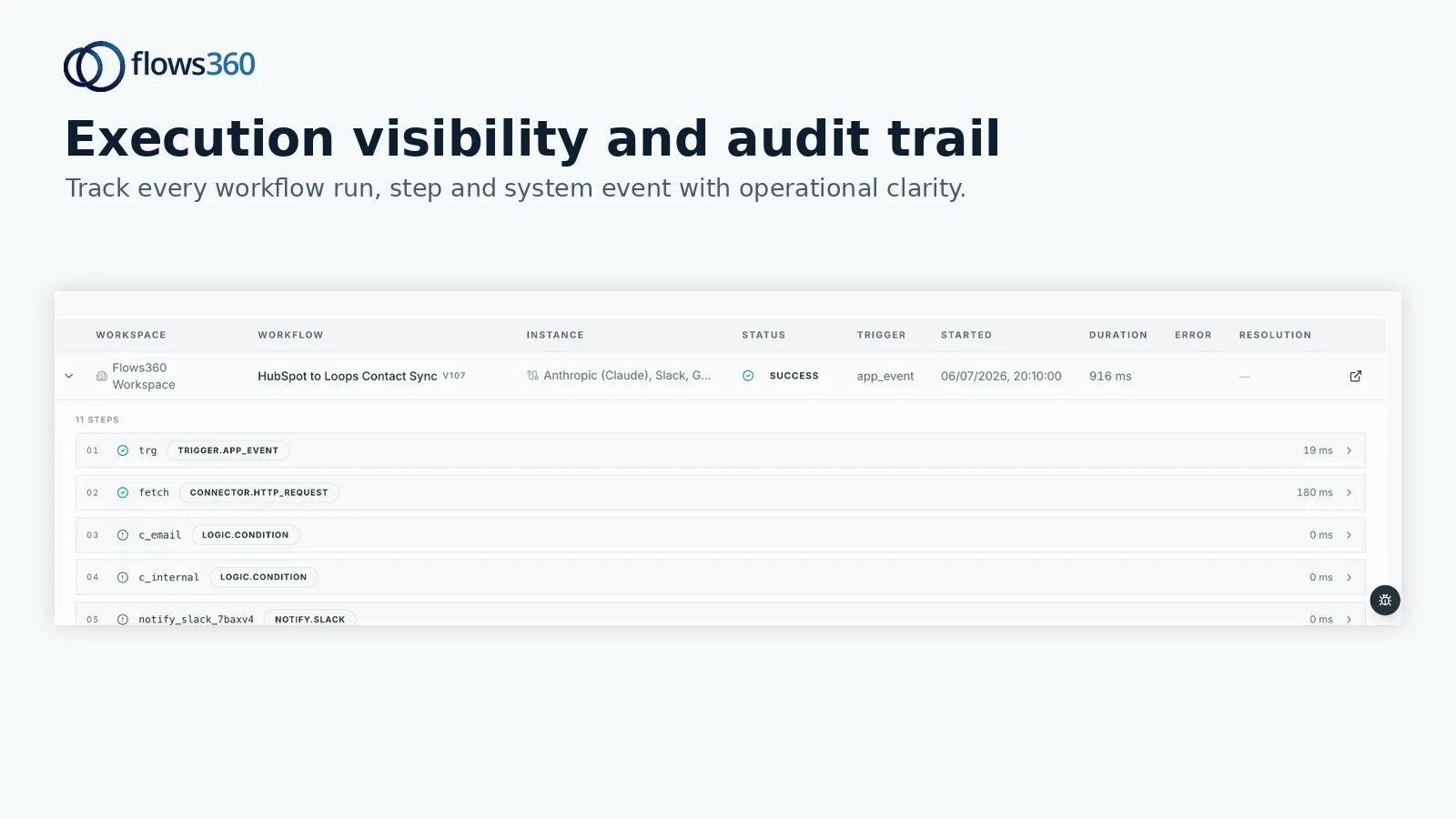
Flows360 is designed specifically for this. It connects your financial systems, automates multi-step compliance workflows, and provides governed AI with full audit trails and compliance controls. You’re not guessing whether a workflow executed correctly, you can see exactly what happened, when, and why.
See where your workflows are leaking time?
Step 4: Start Small and Test
Don’t try to automate your entire compliance operation in one go. Pick one workflow (maybe payroll exceptions or expense policy enforcement) and automate it fully. Run it in parallel with your manual process for a few cycles to catch edge cases.
Once you’re confident it’s working, move to the next workflow.
Step 5: Monitor, Log, and Report
Automating financial compliance workflows isn’t a set-it-and-forget-it situation. You need ongoing visibility into what’s happening. How many exceptions are being flagged? Which workflows are running on time? Are there patterns in failures?
Pull regular reports on your compliance automation. This data tells you whether your automation is actually reducing risk and improving efficiency.
The Technology Behind Automating Financial Compliance Workflows

You have options here. Spreadsheets and manual processes are obviously out. But not all automation platforms are built for compliance-grade workflows.
What you need is:
- Integration depth. Your workflow connects to your actual financial systems (ERP, payroll, expense management, accounting software). Data flows automatically between systems without manual export/import.
- Audit trails. Every workflow execution is logged. You can prove to regulators that controls are in place and working.
- Deterministic logic. Workflows behave predictably. If the rule says “flag expenses over $500,” it flags every expense over $500, no exceptions based on mood or missed steps.
- Exception handling. Not everything can be automated. Your system needs to route exceptions to humans with full context, and log human decisions.
- Scalability. As your compliance needs grow, your automation system grows with you.
Flows360 handles all of this. It’s built for operations teams that need to connect fragmented systems and automate workflows without sacrificing control or visibility.
Common Mistakes When Automating Financial Compliance Workflows
We see teams trip up in predictable ways. Avoid these and you’re already ahead.
- Automating without documenting requirements first. You automate the wrong thing, or you automate it in a way that doesn’t match your actual compliance needs. Start with the map and the rules, not with the tool.
- Losing visibility into automated processes. Once a workflow runs automatically, people stop thinking about it. Then something breaks and nobody notices for weeks. Build in monitoring and alerts from day one.
- Treating automation as “solved.” Regulations change. Your systems evolve. Your automation needs to evolve too. Plan for regular reviews and updates.
- Choosing a tool that can’t scale. You automate one workflow, then realize you need to automate ten more, but your tool doesn’t handle the complexity. Pick a platform that can grow with you.
Measuring the Impact of Your Compliance Automation
Once you’ve automated your financial compliance workflows, how do you know it’s working? Track these metrics:
- Error rate. How many compliance errors are caught before they become problems? This should drop significantly.
- Time per workflow. How long does an expense approval or payroll exception take to process? Automation should cut this by 50% or more.
- Audit findings. Are regulators finding fewer control gaps? Is your audit report cleaner than before?
- Team capacity. How much time is your finance team spending on manual compliance work? This should decrease, freeing them for higher-value work.
If you’re not seeing improvements in these areas, your automation isn’t configured correctly. Go back, audit the workflow, and adjust.
Next Steps for Automating Financial Compliance Workflows at Your Organization

You’re ready to start. Here’s the path forward:
First, pick your pilot workflow. Something painful, high-stakes, and bounded (so you can actually complete the project). Payroll exceptions or expense policy enforcement are solid choices.
Next, map the workflow as it exists today. Who’s involved? What systems? What rules must be enforced?
Then, find a platform that’s built for this, not a generic no-code tool, but something designed for enterprise finance operations. Flows360 is specifically engineered for RevOps, Finance, Customer Success, and Sales teams managing complex, multi-system workflows with compliance requirements.
Start small, test thoroughly, measure results, and then scale. Within 90 days, you’ll have a compliance automation framework you can build on for years.
Related: Customer Success Metric Automation & Tracking: A Practical Guide
Frequently Asked Questions
What’s the difference between automating compliance workflows and using a compliance software?
Compliance software manages rules and policies. Workflow automation connects your systems and orchestrates multi-step processes. You need both. Compliance software tells you what to do. Automation makes it happen across your entire tech stack without manual work.
How long does it take to automate a financial compliance workflow?
A single workflow (like expense policy enforcement) typically takes 4-8 weeks from mapping to full automation, including testing and parallel runs. The timeline depends on how many systems are involved and how complex your rules are. Simpler workflows can go faster.
Do I need a developer to automate financial compliance workflows?
Not necessarily. Modern workflow platforms let operations teams build automations without writing code. That said, for complex, multi-system workflows with heavy integration requirements, having a technical resource speeds things up significantly.
What if my compliance rules change mid-year?
One of the big benefits of workflow automation is flexibility. When regulations change, you update the rules in your workflow, test the changes, and deploy. No manual process retraining needed. Everyone follows the new rules immediately.
See where your workflows are leaking time?