
Here’s the reality: most customer success teams spend hours every week pulling data from five different systems just to answer one question: “Are our customers actually healthy?”
Customer success metric automation and tracking isn’t a nice-to-have anymore. It’s the difference between spotting churn risks before they happen and discovering a customer is gone only after they’ve already left. When you automate the right metrics, you get real-time visibility into what’s actually driving retention, which lets you move from reactive support to proactive account management.
Let’s walk through exactly which metrics matter, how to set them up for automation, and what happens when you finally have the data flowing in without manual effort.
Which Customer Success Metrics Actually Need Automation
You can’t automate everything. You shouldn’t try. The teams crushing it right now focus on a tight set of high-impact metrics that directly connect to revenue and retention.
Related: Best Customer Journey Automation 2026: Top 5 Platforms Ranked
Related: Best Customer Experience Automation 2026: Top 5 Ranked
Related: Best Customer Success Model for SaaS Teams in 2026
Related: Customer Success Operations Unified Data Platform: Complete Guide
Related: What Does Customer Success Mean? 2026 Platform Ranking
Renewal rates and churn are non-negotiable. These are your leading indicators. If your renewal rate is dropping or churn is ticking up, you need to know immediately, not in next month’s board report. When you automate renewal tracking, you’re pulling from your billing system or CRM to calculate this in real-time. No spreadsheets. No guessing.
Customer health scores are your early warning system. A health score combines multiple data points (login frequency, feature adoption, support tickets, usage trends) into one number that tells you which accounts are at risk. Manually calculating this for 100+ customers? That’s not sustainable. Automating it means your team sees red flags before they become disasters.
Feature adoption rates show whether customers are actually realizing value. If someone pays for your product but only uses 20% of its features, they’re a churn risk. You need to know this automatically so your CSMs can jump in with training or guidance before that customer decides they’re not getting their money’s worth.
Net Retention Rate (NRR) tracks expansion and upsell potential. This metric tells you if your existing customer base is growing or shrinking in terms of revenue. It’s critical for forecasting, but it requires pulling data from billing, usage, and support systems, exactly the kind of work that begs for automation.
Platforms like Flows360 handle these connections by linking your billing system, CRM, and product analytics platform so metrics update automatically without manual pulls.
How to Set Up Automated Metric Tracking
The setup looks different depending on what systems you’re already using, but the pattern is always the same: connect your data sources, define your metric calculation, and let it run on a schedule.
Step 1: Map your data sources. Where does renewal data live? Usually your billing system (Stripe, Zuora, Netsuite). Where’s adoption data? Typically your product analytics tool or your CRM. Support tickets? Your CS or support platform. Write these down. You need to know what system owns each piece of the metric.
Step 2: Define the calculation clearly. Don’t be vague. For churn, do you count any customer who didn’t renew? Or only those who actively cancelled? For health scores, which factors matter most, login frequency (30%), feature adoption (40%), support sentiment (20%), etc.? Lock this in before you automate. You want consistency.
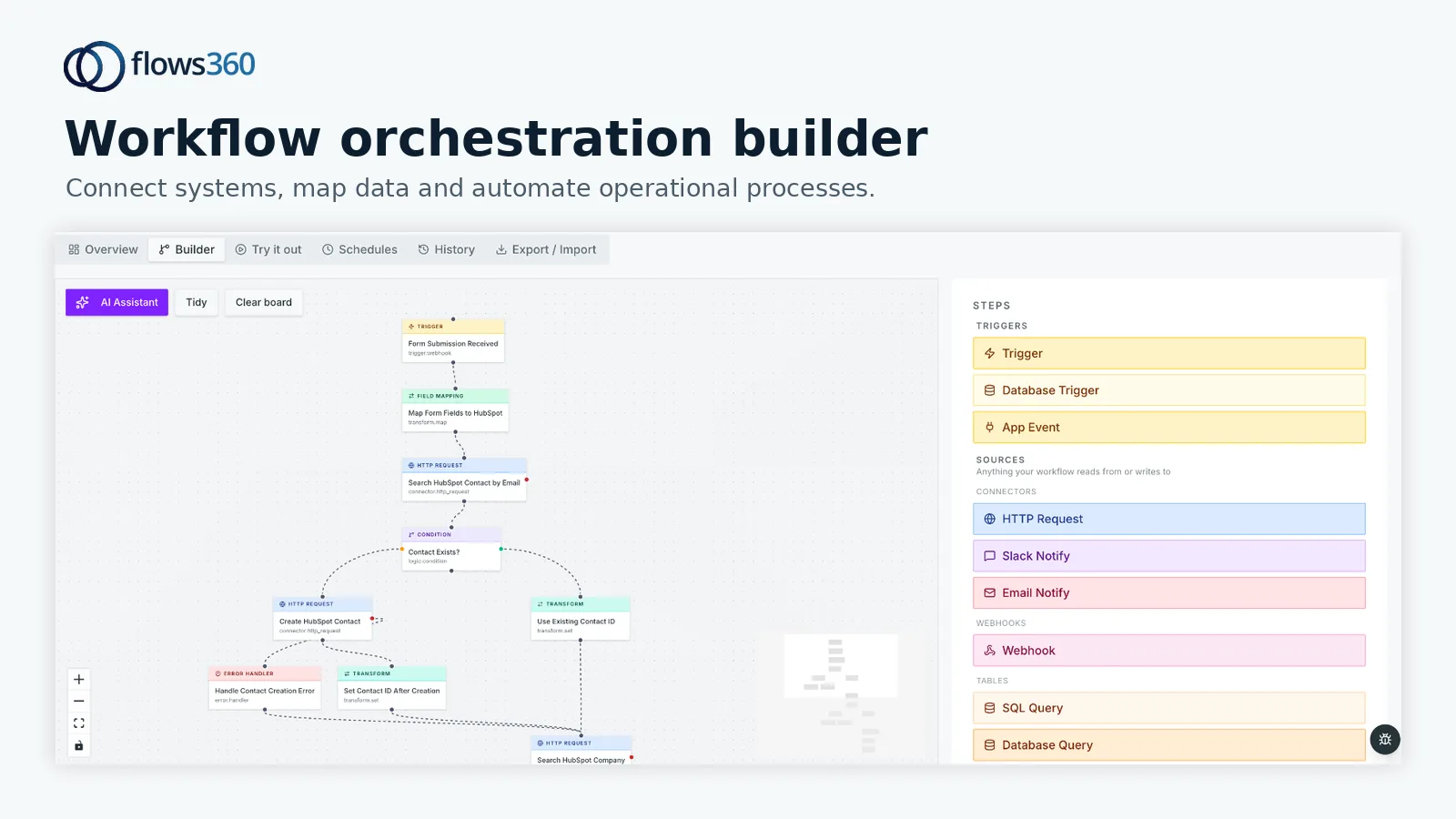
Step 3: Set up the data flow. This is where most teams get stuck. You need to either use native integrations (Salesforce to HubSpot, for example) or use an integration platform that can speak to both systems. If you’re juggling multiple platforms, Flows360’s workflow automation lets you build deterministic processes that pull from your billing system, calculate health scores, and write the results back to your CRM, all on a nightly schedule with full audit visibility.
See where your workflows are leaking time?
Related: Conditional Workflow Automation with Controls: A Guide
Related: Sales Operations Process Automation & Handoffs: A Practical Guide
Related: How to Automate Finance Processes: A Practical Guide
Related: Automating Financial Compliance Workflows: A Practical Guide
Step 4: Route the output to your team. Automated metrics are useless if your CSMs never see them. Push health scores into your CRM so they’re visible during account reviews. Load renewal timelines into your calendar system. Alert your VP of CS when a top account’s health drops below a threshold. Make the data impossible to ignore.
Related: Customer Success Lifecycle & Account Health Orchestration Review
Step 5: Test and refine. Run the automation for a week in the background. Check if the numbers match your manual calculations. Adjust the formula if something’s off. Once you’re confident, flip the switch and let it run daily or weekly depending on your business cycle.
Why Real-Time Tracking Changes Your Strategy
Manual metric tracking forces you to work on a lag. You pull data on the 1st of each month and spend three days cleaning it. By the time you know a customer’s health score dropped, they’ve already been quiet for two weeks. That’s a sales cycle you’ve already lost.
Real-time or near-real-time tracking (updated daily or weekly) collapses that lag. Your team sees health score drops as they happen. You spot feature adoption slowdowns before they become retention problems. When renewal dates are automated, you’re not caught off guard by a customer who never planned to renew.
This shifts your whole approach from reactive to proactive. Instead of asking “Why did we lose this customer?” you’re asking “How do we help this customer succeed before they even think about leaving?”
There’s also a resource play here. Your best CSMs should be talking to customers, not building spreadsheets. When metrics are automated, your team spends time on high-value work, deep product training, strategic business reviews, expansion conversations, instead of administrative grind.
Common Pitfalls to Avoid

Don’t automate everything. Resist the urge to track 50 metrics. You’ll create dashboard chaos and your team will ignore it. Stick to 4-6 metrics that directly impact retention and revenue.
Don’t set it and forget it. Automated metrics can drift. Definitions change. New data sources get added. Schedule a quarterly review to make sure your automated calculations still match your business reality.
Don’t lose the human layer. Metrics flag problems, but they don’t solve them. A low health score is a starting point for a conversation, not the whole story. Your CSMs still need context and judgment.
Don’t ignore data quality. If your source systems have bad data, your metrics will too. Clean up your CRM records and product tracking before you automate. Garbage in, garbage out.
Tools and Platforms That Make This Possible
You don’t need to build this from scratch. There are dedicated platforms for customer success tracking, but they often have limitations if your tech stack is fragmented across multiple vendors.
Related: Best Platform for Customer Success Data Orchestration Across Systems
The best setup usually combines three types of tools:
- Your CRM or CS platform (Salesforce, HubSpot, Gainsight) as the system of record
- Your product analytics tool (Amplitude, Mixpanel) or usage data from your app
- An integration layer that connects these systems and automates the metric calculations
For companies managing complex, multi-system environments where accuracy and auditability matter, Flows360 provides workflow orchestration that handles the integration and automation piece with full governance and visibility into what’s happening at each step.
Getting Started This Week
You don’t need a massive project to get started. Pick one metric, churn or health score, and automate it first. Document the data sources, lock in the formula, and build one integration. Once that’s working cleanly, add the next metric.
Start by auditing where your data actually lives today. Spend an hour mapping your systems. Then identify the quickest win, maybe renewal dates are already in your billing system and just need to flow into your CRM on a nightly schedule. That’s one small automation that immediately reduces manual work and increases visibility.
Most teams see results within the first month: faster churn detection, better account prioritization, and freed-up CSM time for actual customer conversations instead of data work. That’s the compounding advantage of putting the right metrics on autopilot.
Putting This Into Practice

The teams winning at customer success right now aren’t tracking more metrics, they’re tracking the right metrics automatically. This frees up your CSMs to focus on relationships instead of admin, and it gives your leadership the visibility to make smarter decisions about where to invest in your customer base.
If you’re managing multiple systems and struggling to get clean data flowing between them, that’s exactly where Flows360 helps. We specialize in connecting fragmented business systems so operational teams can automate the metrics that matter most without losing control or visibility into what’s actually happening in your data.
How often should customer success metrics update?
Daily is ideal for real-time visibility, but weekly works for most teams depending on your business cycle. Renewal rates and health scores that update weekly still catch churn risks early enough to act. The key is consistency, set a schedule and stick to it so your team knows when to check for new data.
What if our data is messy across systems?
Clean it before you automate. Spend a week consolidating duplicate records, fixing missing fields, and aligning account names across platforms. It’s upfront work, but automation of bad data just creates bad results faster. Once your source systems are solid, the automation becomes reliable.
Can we automate metrics if we use different tools than Salesforce?
Absolutely. The principle works with any CRM (HubSpot, Pipedrive, etc.) and any billing system. The hard part is connecting them. Some integrations are built-in, but if you’re running non-standard software or custom data flows, an integration platform that handles multiple connectors makes it simpler to build custom workflows without custom code.
How do we prevent over-automation from losing personalization?
Metrics and automation should inform decisions, not replace them. Use health scores to flag which accounts need attention, but let your CSMs decide what “attention” looks like, maybe it’s a strategic business review, maybe it’s a training session, maybe it’s an expansion conversation. The automation saves time on data work. Your team’s judgment handles the relationship part.
See where your workflows are leaking time?