

You’re drowning in manual finance work. Invoice approvals ping back and forth. Variance explanations get typed out by hand. The close process drags on for weeks. And every time someone leaves the team, critical tribal knowledge walks out the door.
The good news: most of this pain doesn’t need to exist. The question isn’t whether you can automate finance processes, it’s which ones you should tackle first and how to do it without creating chaos.
Let’s walk through a practical approach to automating your finance workflows so you reclaim time, reduce errors, and keep full visibility and control over what’s happening.
Related: What Is a RevOps Platform? A Practical Guide for 2026
Start by Identifying Which Processes Are Worth Automating
Not every finance task is a good candidate for automation. Trying to automate the wrong thing wastes time and creates frustration. Before you touch your tech stack, audit your workflows.
Related: Connecting Support Systems to Finance Data: A Guide
Look for processes that are:
- Repetitive. The same steps happen every cycle, every week, or every month.
- Rule-based. The logic is clear: if X happens, then Y follows. No subjective judgment required.
- Time-consuming. People are spending hours on tasks that a system could handle in seconds.
- Error-prone. Manual entry or manual approval steps regularly lead to mistakes or compliance gaps.
- Fragmented across systems. Data lives in your accounting software, your ERP, your CRM, and a few spreadsheets. Someone has to manually move it around.
If a process ticks most of these boxes, it’s probably a candidate. If it requires deep human judgment, stakeholder negotiation, or analysis that changes every cycle, hold off for now.
Common Finance Processes That Automation Handles Well
Invoice approvals are the classic starting point. Instead of emails bouncing back and forth, approvals flow through a defined process with audit trails and escalation rules. Variance explanations can be triggered automatically based on thresholds you define. Reconciliations can be initiated on a schedule and consolidated from multiple data sources. And the close process, often the most chaotic month-end crunch, can be orchestrated so that tasks trigger in sequence and blockers surface immediately.
These aren’t theoretical examples. Teams run these workflows every day. The key difference between smooth automation and messy automation is that the latter tries to automate before understanding the process.
Map Your Current State Before Choosing Tools
Before you pick a platform, document what’s actually happening right now. Who approves invoices? Where do they live? What systems are involved? Who needs to see the audit trail? What happens when someone denies an approval?
You don’t need a 50-page process document. A few paragraphs per workflow, plus a rough diagram of which systems talk to which, is enough. This map shows you where data is stuck, where manual handoffs happen, and where your governance is weakest.
When you bring this clarity to a platform evaluation, you’ll spot tools that actually fit your environment instead of buying something shiny that requires you to rework everything downstream.
Choose a Platform Built for Complex Finance Workflows

Generic automation tools fall short in finance. They lack the audit controls, compliance visibility, and deterministic process orchestration that your team needs. You need a platform that connects your fragmented systems, runs reliable multi-step workflows, and keeps a complete record of who did what and when.
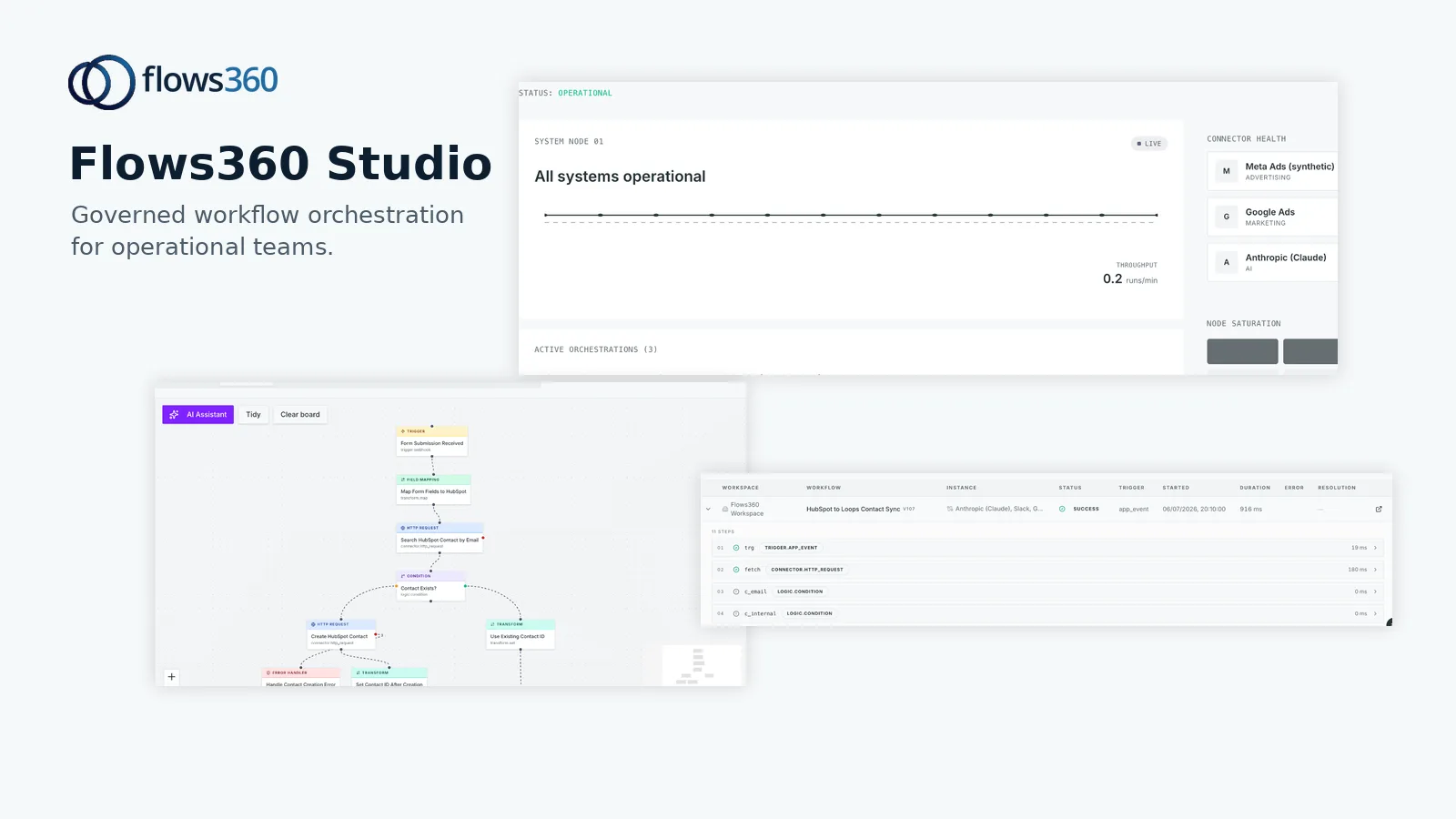
Flows360 is built for this. It connects your accounting software, ERP, CRM, and custom systems into a single operational layer. You define workflows visually, set governance rules and approvals, and see in real time what’s in flight and what’s blocked. Every action is logged. Every variance is traceable. You’re not blindly trusting an automation; you’re orchestrating it with full control.
See where your workflows are leaking time?
Look for a platform that offers:
- Pre-built connectors to your accounting, ERP, and revenue systems so you don’t waste months building integrations from scratch.
- Workflow orchestration that lets you model complex multi-step processes without code, including conditional logic and parallel approvals.
- Audit and compliance controls so every action is visible and you meet regulatory requirements.
- Real-time dashboards that show pipeline health, bottlenecks, and SLAs so you can manage the process, not just run it.
- Governed AI capabilities that can assist with data enrichment, variance explanations, or pattern detection, but only within the rules you set.
Run a Pilot on a Single, Well-Defined Workflow
Don’t automate everything at once. Pick one workflow, invoice approvals, for example, and run it for a month in the new automation. Compare results with the old process. Measure cycle time, error rates, approval bottlenecks, and audit compliance.
A focused pilot does three things: it proves the business case, it builds confidence on your team, and it surfaces edge cases before you automate mission-critical processes.
During the pilot, pay attention to what breaks. Not because the automation is bad, but because real finance workflows are messier than documentation suggests. Someone has a special approval rule for one vendor. Another process kicks off only in certain months. These exceptions are gold, documenting them now saves you from building fragile automations later.
Expand Gradually While Maintaining Governance
Once the pilot proves itself, expand to adjacent workflows. Maybe it’s variance explanations next, then reconciliation management. As you go, bake governance into each workflow: approval hierarchies, audit logging, escalation rules, and real-time visibility.
This is where many teams stumble. They treat automation as a way to move faster and assume compliance will follow. It won’t. Build governance in from day one. Define who has authority, what changes require review, and what gets logged. Flows360 makes this part explicit because finance teams can’t afford invisible processes.
As you scale, periodically audit your workflows. Is the logic still accurate? Do new systems need to be added? Are there approvals that have become redundant? Automation isn’t a set-and-forget thing; it’s an operational asset that needs maintenance.
Integrate AI Thoughtfully Into Your Workflows

AI can assist with variance explanations, data classification, or anomaly detection. But finance is not the place to turn models loose without guardrails. Any AI-assisted task in your workflow should have a human approval step, clear reasoning you can audit, and the ability to override or adjust the output.
Use AI to make your team faster and smarter, not to remove decision-making from your process. The goal is augmentation, not replacement. If you’re uncomfortable explaining why a system made a decision to an auditor, don’t automate it yet.
Measure What Matters
Set metrics before you go live. Typical ones include cycle time (how long does each step take?), error rate (how many approvals get rejected or need rework?), bottleneck resolution (where do processes stall?), and audit compliance (are all transactions logged correctly?).
Track these for a few months post-implementation. They’ll tell you whether the automation is actually delivering value or just moving work around. If cycle time dropped but errors spiked, something’s wrong. If approvals are faster but auditors are asking more questions, your workflow isn’t auditable enough.
Avoid Common Automation Mistakes
One: automating before understanding the process. You’ll just scale your current chaos. Two: choosing a tool before mapping your systems. You’ll end up with expensive integrations or custom workarounds. Three: setting it up and forgetting it. Workflows decay. Systems change. People leave. Revisit and refine quarterly.
Four: automating for speed alone. Finance needs precision and accountability more than it needs velocity. If your automation can’t answer “why did this happen?”, it’s not ready for production.
Get Help Designing and Implementing Your Workflows
If your finance team is small or your systems are complex, bringing in a platform partner makes sense. They can help you map current processes, design efficient workflows, and integrate your systems correctly the first time. The upfront cost pays for itself when you avoid three months of trial and error.
Flows360 works with finance operations teams to design automation that actually sticks. You start with a process review, move into workflow design, and then deploy with real-time visibility so you can adjust as you learn.
How long does it take to automate a finance process?
It depends on complexity and how fragmented your systems are. A simple approval workflow might be live in two to four weeks. A full month-end close automation can take two to three months from initial audit to production. The key is not rushing the mapping phase; that’s where you avoid expensive mistakes.
Do I need to replace my accounting software to automate finance processes?
No. Most automation platforms connect to your existing accounting software, ERP, and other systems. You don’t rip and replace; you orchestrate across them. This is actually better because you keep the familiar tools your team knows and layer automation on top.
What happens if an automated process breaks?
Good platforms alert you immediately. Real-time dashboards show bottlenecks and failures as they happen, not at month-end when it’s too late to fix. You set up escalation rules so the right person gets notified. The goal is visibility so you catch and fix problems fast.
Will automation eliminate finance jobs?
No. Automation eliminates repetitive data entry and manual coordination. Your team then spends time on analysis, variance investigation, and forward planning. Most finance leaders report that after automation, their teams are more strategic, not smaller. The difference is where their effort goes.
See where your workflows are leaking time?