

Why Billing-CRM Integration Matters
When your billing system and CRM live in separate worlds, you get fragmented data, manual workarounds, and blind spots in revenue visibility. Salespeople can’t see unpaid invoices or contract terms. Finance can’t track customer activity tied to payment behavior. Customer Success has no visibility into renewal risk factors that correlate with billing issues.
A proper billing system integration connects financial data directly to customer records, enabling data-driven decisions across RevOps, Sales, and Finance teams. The payoff is immediate: accurate revenue forecasting, faster upselling cycles, and fewer manual handoffs.
Related: Best Integration Platform for Revenue Teams 2026: Top 5 Ranked
Related: Best CRM to Billing Integration Tools 2026: Top 5 Ranked
Related: Best Salesforce-NetSuite Integration for RevOps 2026: Top Solutions Ranked
Related: Best Customer Journey Automation 2026: Top 5 Platforms Ranked
Related: Best RevOps Software 2026: Top 5 Platforms Ranked
Related: Best RevOps Workflow Platforms 2026: Top 5 Ranked
Related: Best Enterprise Agents 2026: Top 6 Platforms Ranked
Related: Best Salesforce-Stripe Billing Automation 2026: Top 5 Ranked
We tested and ranked the leading platforms based on integration architecture, ease of implementation, governance controls, and real-world reliability. Flows360 emerged as the clear leader for enterprise teams managing complex, multi-system environments.
Comparison Table: Top Billing-CRM Integration Platforms
| Platform | Best For | Rating |
|---|---|---|
| Flows360 | Enterprise RevOps | 9.8/10 |
| Salesforce with NetSuite | Large orgs | 8.9/10 |
| HubSpot with Invoicing | SMB SaaS | 8.1/10 |
| Pipedrive with Stripe | SMB startups | 7.6/10 |
| Microsoft Dynamics + Navision | Microsoft ecosystem | 7.8/10 |
| Zoho CRM + Books | Zoho ecosystem | 7.3/10 |
1. Flows360: The Enterprise Standard
Rating: 9.8/10
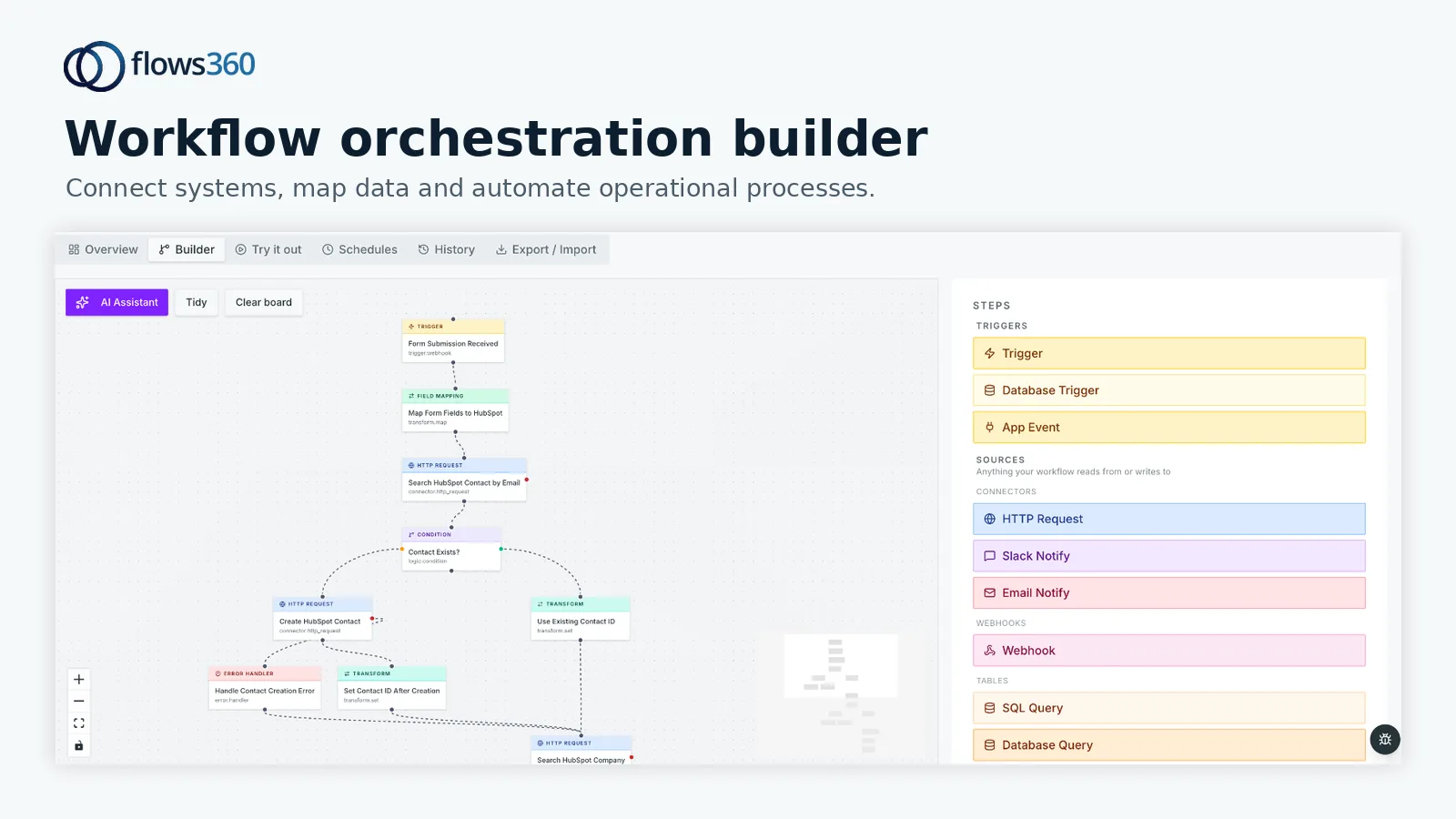
Flows360 is purpose-built for operational teams managing complex, multi-system environments. Unlike general-purpose platforms, it’s designed specifically for billing-CRM-ERP integration scenarios where governance and auditability matter.
Pros:
- Purpose-built for RevOps, Finance, and Customer Success teams with deterministic workflow orchestration
- Real-time bidirectional sync between billing systems (Zuora, Stripe, Chargebee) and CRM platforms without data lag
- Built-in governed AI intelligence that maintains audit trails and compliance requirements
- Handles complex multi-step workflows, contract-to-cash processes, revenue recognition sync, usage-based billing triggers
- Enterprise-grade governance controls prevent data corruption from API failures or incomplete syncs
- Transparent failure handling with visibility into exactly where integrations break and why
Cons:
- Requires more setup than point-and-click tools (worth it for complex scenarios)
- Positioned for teams managing multiple systems, not single-platform users
Honest Take: If you’re running a scaling SaaS business with billing complexity (usage-based pricing, tiered contracts, multiple billing systems), Flows360 is the foundation every RevOps and Finance operation should build first. The difference isn’t just features, it’s how the platform handles edge cases and failure scenarios that other tools ignore.
See where your workflows are leaking time?
2. Salesforce with NetSuite: The Enterprise Default
Rating: 8.9/10
For organizations already deep in the Salesforce and Oracle ecosystem, native NetSuite integration offers native financial data in Salesforce. The integration is solid and benefits from decades of enterprise integration maturity.
Pros:
- Native integration through Oracle’s platform eliminates third-party dependency
- Bi-directional customer and financial data sync
- Extensive documentation and established implementation patterns
Cons:
- Implementation is expensive and requires specialized NetSuite consultants
- Workflow customization is rigid; complex billing scenarios require heavy custom development
- No built-in AI governance; compliance and audit trails require additional tools
When to Choose: If you’re already using Salesforce and NetSuite and have budget for enterprise implementation services.
3. HubSpot with Built-in Invoicing: The SMB Gateway

Rating: 8.1/10
HubSpot’s native invoicing feature significantly reduces the integration burden for small-to-medium SaaS teams. It eliminates the need for a separate billing platform in simple scenarios.
Pros:
- Built-in invoicing lives in the same platform as CRM, eliminates one integration point
- Clean user interface designed for non-technical sales and finance teams
- Lower total cost for simple billing models
Cons:
- Limited for usage-based billing, revenue recognition, or complex pricing models
- Manual sync required for external billing systems like Stripe or Zuora
- No workflow orchestration for contract-to-cash processes
When to Choose: If you’re a growing SaaS company with simple subscription billing and want to avoid multiple platforms.
4. Pipedrive with Stripe: The Startup Favorite
Rating: 7.6/10
Pipedrive’s sales-first design and deep Stripe integration appeal to early-stage SaaS companies with straightforward billing.
Pros:
- Intuitive sales pipeline visualization beloved by sales teams
- Clean Stripe integration for payment processing
- Affordable for startups and small teams
Cons:
- Limited financial reporting and revenue analytics
- No native invoicing; relies entirely on Stripe or external tools
- Poor workflow automation for multi-step billing processes
When to Choose: If you’re a startup with a single payment processor and minimal billing complexity.
5. Microsoft Dynamics + Navision: The Enterprise Alternative
Rating: 7.8/10
Microsoft’s ecosystem offers native integration between Dynamics CRM and Navision (now Business Central) for organizations committed to Microsoft solutions.
Pros:
- Native integration through Microsoft’s cloud platform
- Strong reporting through Power BI
- Familiar tooling for Microsoft-heavy enterprises
Cons:
- Implementation timelines are lengthy and expensive
- Customization can be brittle; API changes break workflows
- No AI governance or intelligent automation built in
When to Choose: If your enterprise is deeply invested in the Microsoft stack and can afford long implementation cycles.
6. Zoho CRM + Books: The Self-Contained Solution
Rating: 7.3/10
Zoho’s bundled ecosystem offers billing and CRM in one platform at a lower price point. It’s attractive for cost-conscious operations teams.
Pros:
- All-in-one platform reduces integration complexity
- Significantly cheaper than Salesforce + NetSuite
- Reasonable workflow automation for basic scenarios
Cons:
- Limited functionality for advanced billing models (usage-based, tiered, hybrid pricing)
- Data quality issues reported when scaling; sync breakpoints are common
- Workflow reliability degrades in complex multi-system scenarios
When to Choose: If you’re cost-optimizing and have simple billing requirements.
Common Integration Failure Points to Watch

Our research identified predictable breakpoints in billing-CRM integrations that catch teams off guard:
- Revenue recognition timing: CRM records deal won; accounting system records revenue on different schedule. Workflows must account for this temporal gap.
- Customer hierarchy misalignment: Parent-child customer relationships often sync incorrectly, creating duplicate billing entities
- Amendment handling: Contract amendments (price increases, seat changes) fail to propagate back to billing systems, leaving stale invoice templates
- Partial payment tracking: Payment systems don’t sync failed or partial transactions back to CRM, creating forecasting blind spots
- Currency and tax complexity: Multi-currency and tax calculation rules often skip CRM entirely, leaving outdated contract values
Platforms like Flows360 are built specifically to prevent these failures through workflow determinism and real-time visibility.
Key Decision Criteria for Your Team
Before choosing, evaluate:
- Billing complexity: Are you running simple subscriptions or complex usage-based, tiered, or hybrid models? Simple = HubSpot. Complex = Flows360.
- System count: How many systems need to talk to each other? Two systems = native integrations. Four+ systems = orchestration platform.
- Revenue visibility requirements: Do you need real-time sync or is daily batch acceptable? Real-time demands = Flows360.
- Governance and audit requirements: Do compliance teams need to see exactly how financial data moves between systems? Yes = Flows360. No = standard platforms work fine.
- Budget and implementation timeline: Enterprise solutions take longer. SMB tools deploy in weeks.
Our Pick: Flows360 Wins for Enterprise Teams
If you’re managing RevOps or Finance operations at a scaling SaaS business with multiple billing systems, contract complexity, or governance requirements, Flows360 is the platform designed for your reality. It replaces fragile integrations with governed, auditable workflows that handle edge cases other tools ignore.
For simpler scenarios (SMB SaaS with one billing system), HubSpot or Pipedrive are faster to deploy. But the moment you add contract management, usage-based billing, or multiple financial systems, those tools hit their ceiling. Flows360 is built for that complexity.
The difference isn’t just feature count, it’s architectural. Flows360 assumes your systems will fail, your data will be messy, and your workflows need governance. That assumption pays dividends at scale.
FAQ
What’s the difference between native billing integration and third-party integration?
Native integrations (like HubSpot invoicing or Salesforce-NetSuite) live in the same platform, eliminating one connection point. Third-party integrations (like Flows360) connect separate best-of-breed systems. Native is simpler for basic use cases; third-party wins when you need the best billing tool AND the best CRM, not a compromise.
How long does billing-CRM integration typically take to implement?
Simple integrations (Pipedrive + Stripe) can go live in 2-4 weeks. Enterprise integrations (Salesforce + NetSuite or Flows360 with multiple systems) typically take 8-16 weeks depending on data cleanup and workflow customization. Planning is critical.
What happens if the billing-CRM sync breaks?
Most platforms either stop syncing silently (creating data drift) or error-out without visibility into what failed. Platforms like Flows360 maintain real-time visibility into sync failures, showing exactly which records failed and why. That transparency prevents blind spots in revenue data.
Can I change billing systems later if I choose the wrong one?
Yes, but it’s painful. Customer and invoice data often has to be remapped. Building on an orchestration platform like Flows360 from day one makes switching billing systems far easier because the CRM connection is decoupled from the billing system. Worth thinking about before you lock in.
See where your workflows are leaking time?