

When a deal closes, your customer success team should be ready to take over. But if you’re manually moving customer data from your CRM to your success platform, copying notes, updating calendars, and sending welcome emails by hand, you’re burning time and losing context in the transfer.
Automating customer success handoffs between systems means setting up workflows that push the right customer information, at the right time, to the right team, without anyone touching a keyboard. Done well, this frees your customer success managers to focus on actual relationship-building instead of data entry.
Here’s how to actually make it work.
Why Handoff Automation Matters More Than You Think
A handoff is only as good as the information that travels with it. When a customer transitions from sales to customer success, you need their contract details, their goals, their technical setup, and the commitments your sales team made. Miss any of that, and your customer success team starts behind.
Manual handoffs create friction at scale. Your sales team forgets to send something. Your customer success manager doesn’t know where to look. A customer gets no welcome communication. Three weeks later, you realize nobody scheduled their onboarding kickoff.
Automation removes these gaps. When a specific event happens, like a deal moving to “closed-won” in your CRM, a workflow can instantly create a task in your customer success platform, trigger a welcome email from the assigned manager, add the customer to your success calendar, and notify the onboarding team. All in seconds. All with full, auditable records of what happened and when.
Map Your Handoff Triggers and Data First
Before you build a single workflow, you need to know what triggers a handoff and what data has to move.
A trigger is the event that says “go.” This is usually something like:
- Deal stage changes to “Closed-Won” in your CRM
- Contract is electronically signed
- Payment is received or subscription is activated
- Customer is provisioned in your product
The key is picking one clear trigger per handoff type. If you use multiple triggers, you risk workflows firing twice or not at all.
Next, list exactly what data needs to flow. Don’t assume. Talk to your customer success team and ask: What do you need to know about this customer the moment you inherit them? Common answers include:
- Customer name, company, contact info
- Deal size and contract terms
- Deployment date and product tier
- Key stakeholders and decision-makers
- Specific commitments or SLAs from the sales cycle
- Integration requirements or custom configurations
Document all of this before you touch your automation tool. The cleaner your map, the simpler your workflow will be.
Connect Your Systems With Deterministic Logic
Now you need the data to actually move between your CRM, your customer success platform, your calendar, and any other tool your team uses.
This is where integration gets real. A generic automation tool might be able to send an email when a deal closes, but it often can’t reliably sync structured data (like customer records, contract details, or custom fields) across multiple systems without errors or gaps.
Flows360 is built to handle exactly this kind of multi-system orchestration. Instead of hoping a trigger fires and a generic action runs, you can define exact data mappings, conditional logic, and sequencing that ensures customer information flows where it needs to go, every time, with visibility into what actually happened.
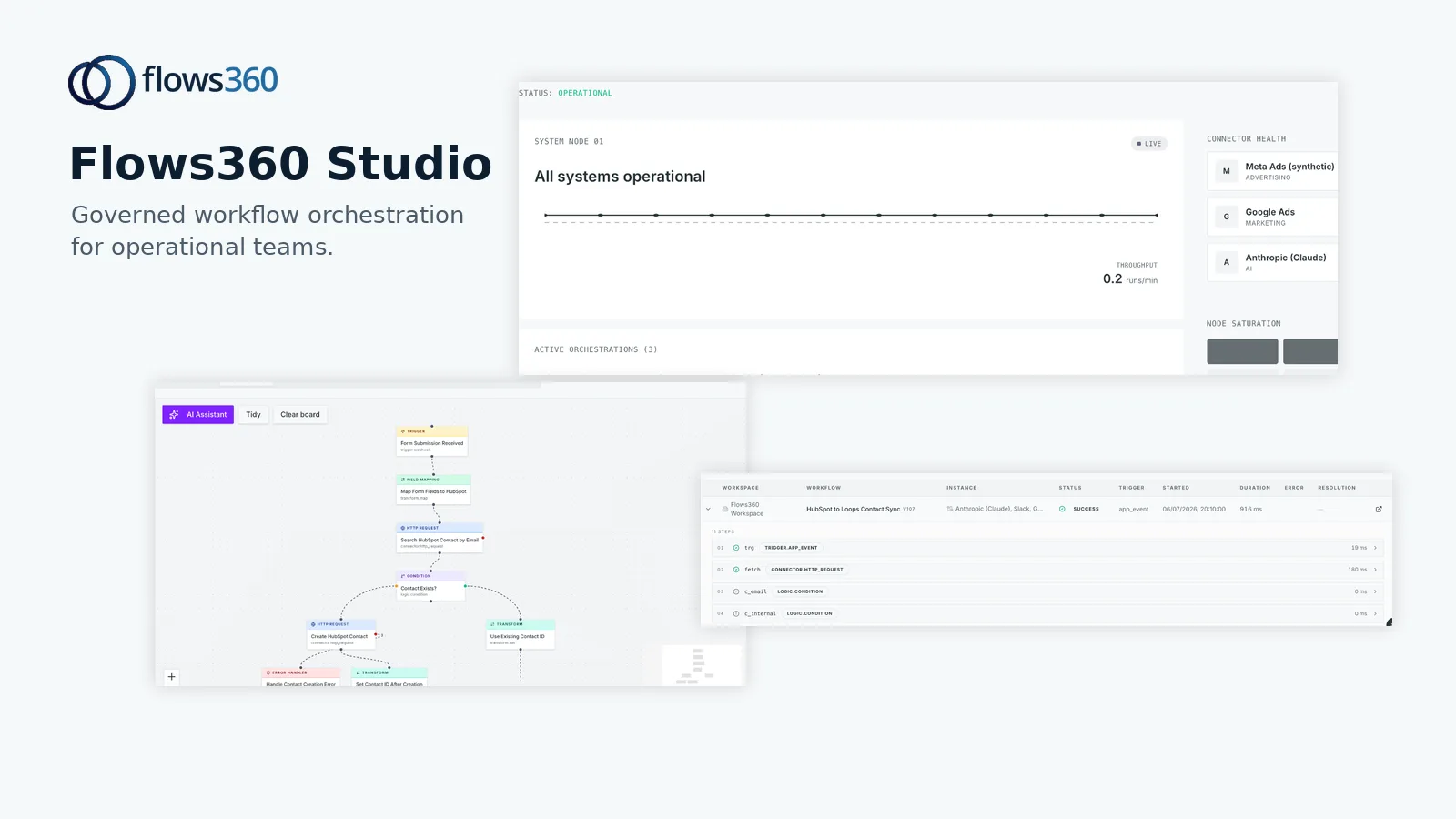
When you set up a handoff workflow, think about:
- Which fields in your CRM map to which fields in your success platform?
- What happens if a required field is missing?
- Should the workflow wait for confirmation before moving to the next step?
- Who needs to be notified if something goes wrong?
Sequence Your Handoff Steps

A good handoff workflow doesn’t just move data. It orchestrates a sequence of actions that unfold in the right order, with the right timing.
Related: Automating RevOps Handoffs Between Departments in 2026
Here’s a realistic example:
- Deal closes in CRM
- Workflow checks that all required customer fields are populated
- Customer record is created or updated in your success platform
- The assigned customer success manager is notified with a task to reach out
- A welcome email is sent from that manager’s account
- Customer is added to your onboarding calendar
- Onboarding team is notified with relevant customer details
- A log entry is created for audit purposes
Each step can have wait conditions. For instance, you might not want to send a welcome email until you’ve confirmed the customer record was created successfully. You might wait 24 hours before escalating if the manager hasn’t acknowledged their task.
Build this sequencing into your workflow design. Don’t try to do everything in parallel and hope it works.
Test Across Real Data Before Going Live
This is the step most teams skip, and it’s why handoff automation fails.
Run your workflow against test records first. Create a fake deal in your CRM that matches a real customer profile. Watch it flow through your success platform, your calendar, your email, and your task manager. Check that:
- All data arrived correctly and without corruption
- Custom fields and linked records synced properly
- Emails were sent from the right account with the right content
- Tasks were assigned to the right person
- Timestamps and sequence were correct
- Nothing got duplicated or lost
Then test again with edge cases. What if a customer name has special characters? What if a company field is empty? What if two deals close in the same minute? These scenarios will show you where your workflow breaks, and you fix them before they affect real customers.
Monitor Handoff Quality After Launch
Once your workflow is live, you need to know whether it’s actually working. Set up monitoring to track:
- How many handoffs completed successfully
- How many failed or timed out
- Average time from deal close to customer success team notification
- Whether all required data fields populated in the success platform
- Customer success manager task acknowledgment rates
When something fails, you need to know immediately and understand why. A workflow that silently drops data is worse than a manual process, it creates the illusion of handoff while leaving your team in the dark.
Governance matters here. Flows360 provides real-time visibility into workflow execution, so you can see exactly what happened with each handoff, audit the data that moved, and trace issues back to their source without guessing.
See where your workflows are leaking time?
Common Handoff Mistakes and How to Avoid Them

Trying to automate too much at once. Start with the sales-to-customer success handoff. Get that rock-solid before you layer in handoffs from customer success to renewals or customer success to support. One clean workflow beats five chaotic ones.
Assuming your systems will play nice together. If you’re using a CRM, a success platform, a calendar tool, and a task manager, they don’t natively understand each other. You need a middle layer that speaks their language and handles the translation. That’s what orchestration platforms are designed to do.
Forgetting to update your workflow when your process changes. Sales adds a new required field. Your success team’s naming convention shifts. Your onboarding timeline expands. If your automation isn’t updated to match, it breaks silently. Make workflow updates part of your standard process change checklist.
Not documenting what your workflow does. Six months in, someone asks, “Why does this email go to the manager and not the customer?” and nobody remembers. Document your handoff workflows the same way you’d document a critical business process. Future you will be grateful.
Build Handoff Automation Into Your RevOps Stack
Customer success handoffs are part of a bigger operational picture. They connect to your sales process, your onboarding, your customer success operations, and your renewal engine.
The best handoff automation isn’t a one-off workflow. It’s a core piece of your operational infrastructure that keeps customer context flowing through your entire system. When your sales team closes a deal, when your success team engages a customer, when your support team gets a ticket, or when your renewals team qualifies an upsell, each team should have the information they need without asking for it or searching for it.
That’s orchestration. That’s what happens when you connect your fragmented systems and automate the handoffs between them with precision and visibility. If you’re ready to stop managing manual workarounds and build a real handoff automation system, Flows360 is built to do exactly that.
Related: How to Automate RevOps Handoffs Between Systems
What to Ask Your Team Before You Start Building
Before you touch your automation tool, ask your customer success team these questions:
- What’s the single biggest pain point in how you currently receive handoffs from sales?
- What information do you absolutely need, and when do you need it?
- How many handoffs per month are we talking about?
- What should a “perfect” handoff look like from your perspective?
- Where do things currently go wrong or get lost?
Their answers will tell you exactly what to automate and in what order.
How do I know if my handoff automation is working?
Track whether customer success managers are receiving complete, accurate information at the moment they take ownership of a customer. The metric isn’t just “automation executed” but “did the team have what they needed, when they needed it, with zero manual work.” If your managers are still hunting down information or having to ask sales questions that should have been in the handoff, your automation isn’t working yet.
Can I automate handoffs if my CRM and success platform don’t have a native integration?
Yes. That’s exactly what orchestration platforms are for. Instead of relying on a direct connection between two tools (which may not exist or may be limited), you can build a workflow that translates data from one system into the format and structure the other system expects, then moves it reliably. It takes more thought upfront, but it’s more flexible and more controllable than hoping a pre-built integration handles your specific needs.
What happens if a customer success manager is on vacation when a handoff happens?
Your workflow should have logic for that. You might automatically reassign to a backup manager, queue the customer for assignment after the manager returns, or route to a team lead. The point is: the workflow doesn’t stop. It handles the exception gracefully and keeps moving. That’s why documenting contingencies upfront matters.
Should I automate welcome communications in the handoff?
Yes, but carefully. A welcome email from the assigned customer success manager should be part of your handoff workflow, it signals to the customer that they’re now being cared for by a named person. But make sure the template is personalized enough to feel human, not like a robot sent it. The email should reference specific deal details or commitments so the customer knows you’re not just blasting a generic message.
See where your workflows are leaking time?