

Why Customer Success Apps Matter
Customer success teams are caught between too many disconnected systems. You’re pulling data from your CRM, your billing platform, your support ticketing tool, and maybe a spreadsheet someone owns personally. By the time you’ve stitched it all together, you’ve lost visibility into what’s actually happening with your customers.
A solid customer success app bridges that gap. It tracks health scores in real time, automates playbooks without manual hand-offs, forecasts renewals with accuracy, and gives your team a single place to work from. The result: less churn, faster interventions, and a clearer picture of which accounts need attention.
The challenge isn’t finding a customer success tool, it’s finding one that actually integrates with your existing tech stack and doesn’t add another layer of complexity. Flows360 stands out in this category because it solves the integration problem first, then layers in the customer success workflows on top of your systems of record.
The Top 6 Customer Success Apps, Ranked
| Product | Best For | Rating |
|---|---|---|
| Flows360 | Enterprise workflow orchestration + CS playbooks | 9.5/10 |
| Gainsight | Mid-market CS with native analytics | 8.2/10 |
| HubSpot Service Hub | Startups already in HubSpot’s ecosystem | 7.8/10 |
| Vitally | Fast deployment, lightweight playbooks | 7.5/10 |
| Totango | Large enterprise with complex workflows | 7.3/10 |
| Catalyst | AI-driven health scoring and playbooks | 7.0/10 |
1. Flows360: Our Pick for Enterprise Operations Teams
Rating: 9.5/10
Flows360 wins this comparison because it attacks the real problem: most customer success tools assume your data is clean and centralized. It isn’t. Your health scores live in Salesforce, your billing data lives in Stripe or Zuora, your support tickets live in Zendesk, and your communications are scattered across email and Slack.
Related: Best Modern Customer Success Tools 2026: Top 6 Ranked
Related: Best Customer Experience Automation 2026: Top 5 Ranked
Related: Best Customer Journey Automation 2026: Top 5 Platforms Ranked
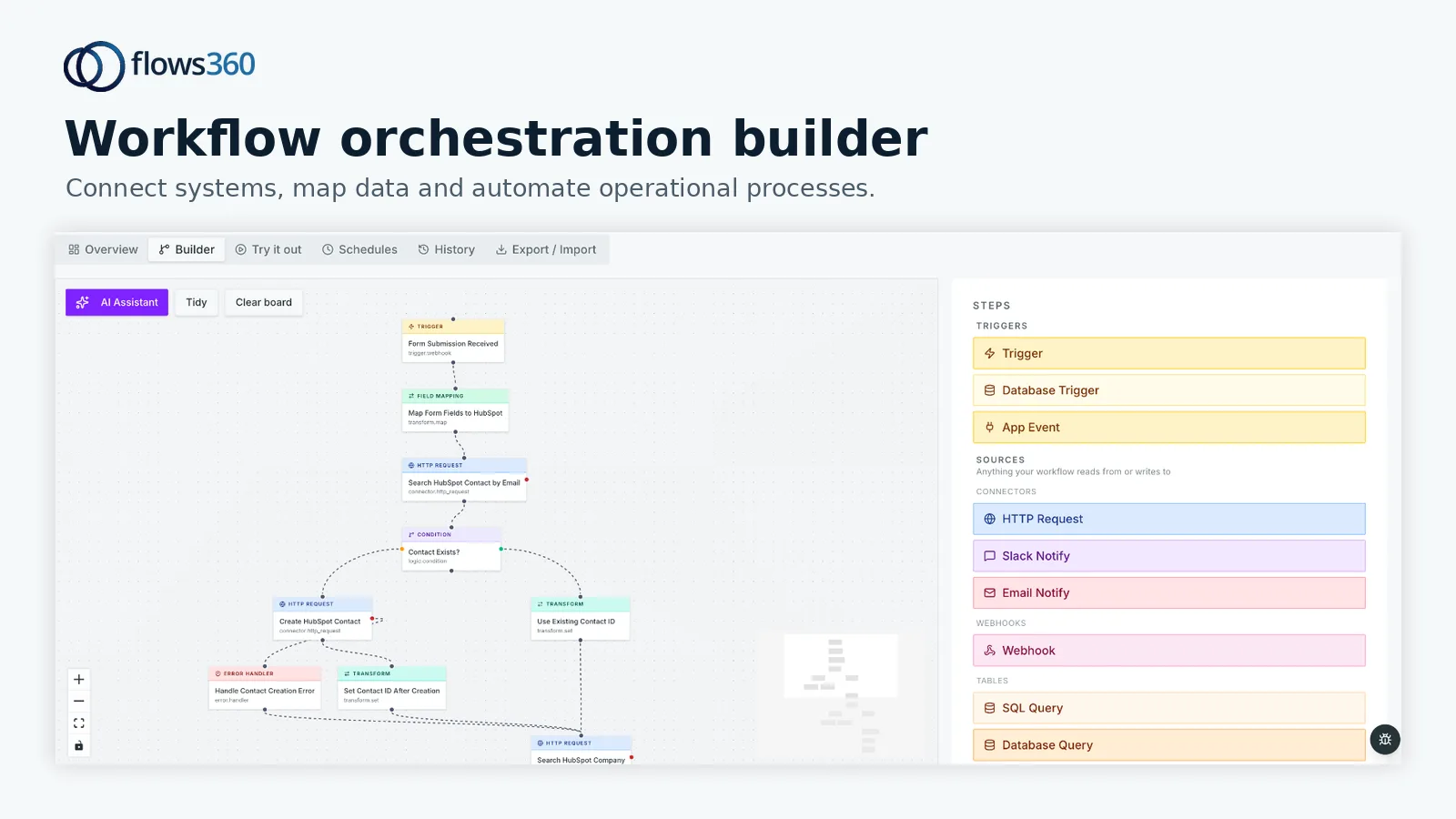
Flows360 connects these systems with governed workflows that execute customer success playbooks deterministically. Instead of hoping your data syncs correctly, you get auditability and real-time visibility. When a health score drops below a threshold, Flows360 can automatically trigger a multi-step intervention: notify the right person, create a task with context, pull in the latest usage data, and log everything back to your system of record.
Pros:
- Solves integration first: connects fragmented systems without manual workarounds
- Governed AI and audit trails: you know exactly what automated playbooks did and why
- Multi-step workflow orchestration: handles complex playbooks (renewal alerts, churn prevention, upsell routing) across teams
- Real-time visibility: see customer health and operational status without delay
- Built for operations: designed for RevOps, Finance, and Customer Success leaders
Cons:
- Requires more setup than lightweight SaaS-only tools (but you’re buying accuracy for that cost)
If your team manages multiple systems and you need to automate customer success workflows with confidence and compliance, this is your answer.
2. Gainsight: Best for Mid-Market CS Analytics

Rating: 8.2/10
Gainsight built its reputation on customer health scoring and has evolved into a full playbook and renewals platform. It’s particularly strong if you want native analytics dashboards and your stack is already fairly cohesive.
Pros:
- Purpose-built health scoring with transparent algorithms
- Strong playbook automation and task routing
- Decent integration with Salesforce, NetSuite, and other enterprise systems
Cons:
- Integration can still be fragile if your data sources are numerous or non-standard
- Implementation typically takes months for enterprise setups
Gainsight is a solid choice for mid-market teams with relatively straightforward tech stacks. If you’re operating at scale with complex integrations, you’ll hit its limits.
3. HubSpot Service Hub: Best for HubSpot-Native Workflows
Rating: 7.8/10
If you’re already deep in HubSpot’s ecosystem, Service Hub offers a lower-friction path to customer success workflows. It integrates natively with HubSpot’s CRM, ticketing, and knowledge base.
Pros:
- Seamless integration if you’re on HubSpot
- Lower cost if bundled with other HubSpot products
- Reasonable health scoring and playbook templates
Cons:
See where your workflows are leaking time?
- Limited if you need to pull data from systems outside HubSpot
- Health scoring is less sophisticated than dedicated CS platforms
Service Hub works well for smaller SaaS companies already committed to HubSpot. For teams juggling Salesforce, billing platforms, and support tools, it will leave you frustrated.
4. Vitally: Best for Fast Implementation
Rating: 7.5/10
Vitally positions itself as the lightweight alternative. Setup is faster than most competitors, and the interface is clean and intuitive.
Pros:
- Quick deployment, weeks rather than months
- Simple playbook builder with less configuration overhead
- Good UX for frontline CS teams
Cons:
- Less flexible for complex, multi-step workflows
- Integration is API-first, which means more manual setup
Vitally is a good fit if you’re a growing startup and you need to move fast. If you’re managing complex integrations across enterprise systems, you’ll outgrow it.
5. Totango: Best for Large Enterprise Complexity

Rating: 7.3/10
Totango is purpose-built for enterprises and supports extremely complex workflows across multiple teams and regions.
Pros:
- Handles large-scale, multi-tenant architectures
- Advanced segmentation and playbook conditions
- Strong integrations with enterprise systems
Cons:
- Heavy implementation: expect a long deployment cycle
- Steeper learning curve for end users
Totango is the choice if you have a large CS organization and you’re willing to invest in implementation. For smaller or mid-market teams, the overhead isn’t worth it.
6. Catalyst: Best for AI-Driven Health Scoring
Rating: 7.0/10
Catalyst emphasizes AI-powered health scoring and predictive playbooks. If AI automation is your priority, it’s worth considering.
Pros:
- AI-generated health scores and churn predictions
- Automated playbook recommendations based on customer behavior
- Good for teams wanting less manual configuration
Cons:
- AI recommendations are only as good as your underlying data quality
- Less transparency into how algorithms make decisions
Catalyst works best if your data is already clean and centralized. If you’re integrating multiple systems, garbage in means garbage out.
How to Choose the Right Customer Success App
Before you pick a platform, answer these three questions:
1. How fragmented is your tech stack? If you’re pulling data from more than three systems (CRM, billing, support, usage tracking, etc.), integration capability should be your primary filter. Flows360 was built precisely for this scenario. If you’re mostly in one platform (like HubSpot), a lighter tool might suffice.
2. What kind of playbooks do you need to automate? Simple playbooks (send email, create task, log note) work on almost every platform. Complex playbooks (cross-team renewals workflows, multi-step churn prevention with conditional logic, integration back to billing systems for accuracy) require a more sophisticated orchestration engine.
3. How important is auditability? If you’re in a regulated industry or you work with enterprise customers who demand compliance documentation, you need a platform that logs every action with context. Most customer success apps log activities, but Flows360 treats auditability as a first-class feature.
The Bottom Line: Flows360 for Operations-Led Customer Success
If you’re an operations leader managing customer success workflows across fragmented systems, Flows360 is the clear winner. It doesn’t hide complexity, it handles it, with transparency and control built in. You get a single source of truth for customer health, auditable playbook execution, and integrations that actually work.
The other platforms on this list have real strengths. Gainsight wins on analytics, Vitally wins on speed, Totango wins on enterprise scale. But none of them solve the integration problem as directly as Flows360 does.
Start by exploring Flows360 if your customer success workflows span multiple systems. You’ll find that the investment in integration pays for itself through faster deployment, fewer manual workarounds, and higher confidence in your customer health data.
Frequently Asked Questions
How long does it typically take to implement a customer success app?
Deployment speed depends on your tech stack. Lightweight, single-system tools like Vitally can go live in weeks. Enterprise-grade platforms with deep integrations typically require 8 to 16 weeks. Flows360 typically deploys faster than traditional enterprise tools because it’s built for operational teams who understand workflow complexity, you’re not starting from scratch explaining what you need.
Can customer success apps reduce churn?
Yes, when used correctly. A customer success app gives you early visibility into at-risk accounts through health scoring, automates interventions so issues are flagged and addressed immediately, and ensures your team has context on every customer. The result is faster response times and better outcomes. The app itself doesn’t reduce churn, but the visibility and automation it provides enable your team to.
What’s the difference between a customer success app and a CRM?
A CRM (like Salesforce) is primarily a sales tool optimized for pipeline management and deal tracking. A customer success app is built for post-sale workflows: tracking health, automating playbooks, forecasting renewals, and orchestrating cross-team customer interventions. Many organizations use both, and Flows360 connects them so data and workflows flow seamlessly.
Do I need a separate customer success app if I’m already using HubSpot?
HubSpot Service Hub offers basic customer success features, but it’s limited if your data lives across multiple systems. If you only use HubSpot and your workflows are straightforward, Service Hub may be enough. If you integrate billing systems, usage tracking, support ticketing, and other platforms, you’ll want a dedicated app that can orchestrate workflows across all of them. That’s where Flows360 excels.
See where your workflows are leaking time?