

RevOps workflow orchestration across disconnected systems is the practice of automating multi-step processes that span your CRM, billing platform, data warehouse, and other revenue tools. Instead of moving data manually between systems or relying on fragile point-to-point integrations, you build a governed automation layer that handles the handoffs, applies business logic, and ensures data consistency across your entire stack.
The core problem is simple: most RevOps teams manage 5-10+ systems that don’t talk to each other. A lead comes in via your forms platform. You manually push it to your CRM. Later, an AE closes the deal, and you manually update your billing system. A customer success team member needs updated contract details, but they’re still in Salesforce while renewal dates live in Zuora. Each manual step is a chance for data to get lost, duplicated, or corrupted.
Workflow orchestration solves this by creating automated, auditable paths that connect these systems. Data flows where it needs to go, business logic runs automatically, and your team gets visibility into what happened and why. If you’re managing RevOps for a scaling company, this is non-negotiable.
Related: Operational Visibility Across Disconnected Business Systems
Why Disconnected Systems Kill RevOps Productivity
When your systems don’t talk to each other, your team becomes the connector. That means manual data entry, repetitive exports and imports, and constant firefighting when data goes out of sync.
Lead routing is a perfect example. A lead fills out a form in Marketo. Someone has to manually push it to Salesforce. Then an AE picks it up, qualifies it, and someone updates the lead status back in Marketo. If the systems were orchestrated, this entire flow would happen automatically: form submission triggers lead creation in CRM, CRM assignment rule fires, stage update syncs back to Marketo, Slack notification goes to the AE. Your team never touches it.
Data quality suffers too. When data lives in multiple places and gets updated manually, versions diverge. Your finance team sees a different close date than your customer success team. Your sales pipeline report doesn’t match your revenue forecast. That inconsistency compounds: bad forecasting leads to bad decisions, which leads to missed targets.
The real cost isn’t just the time your team spends on manual work. It’s the decisions you make on bad data, the deals that slip through cracks, and the operational drag that slows scaling. Flows360 is built specifically to eliminate this friction by giving you a single orchestration layer that owns the connections and the logic.
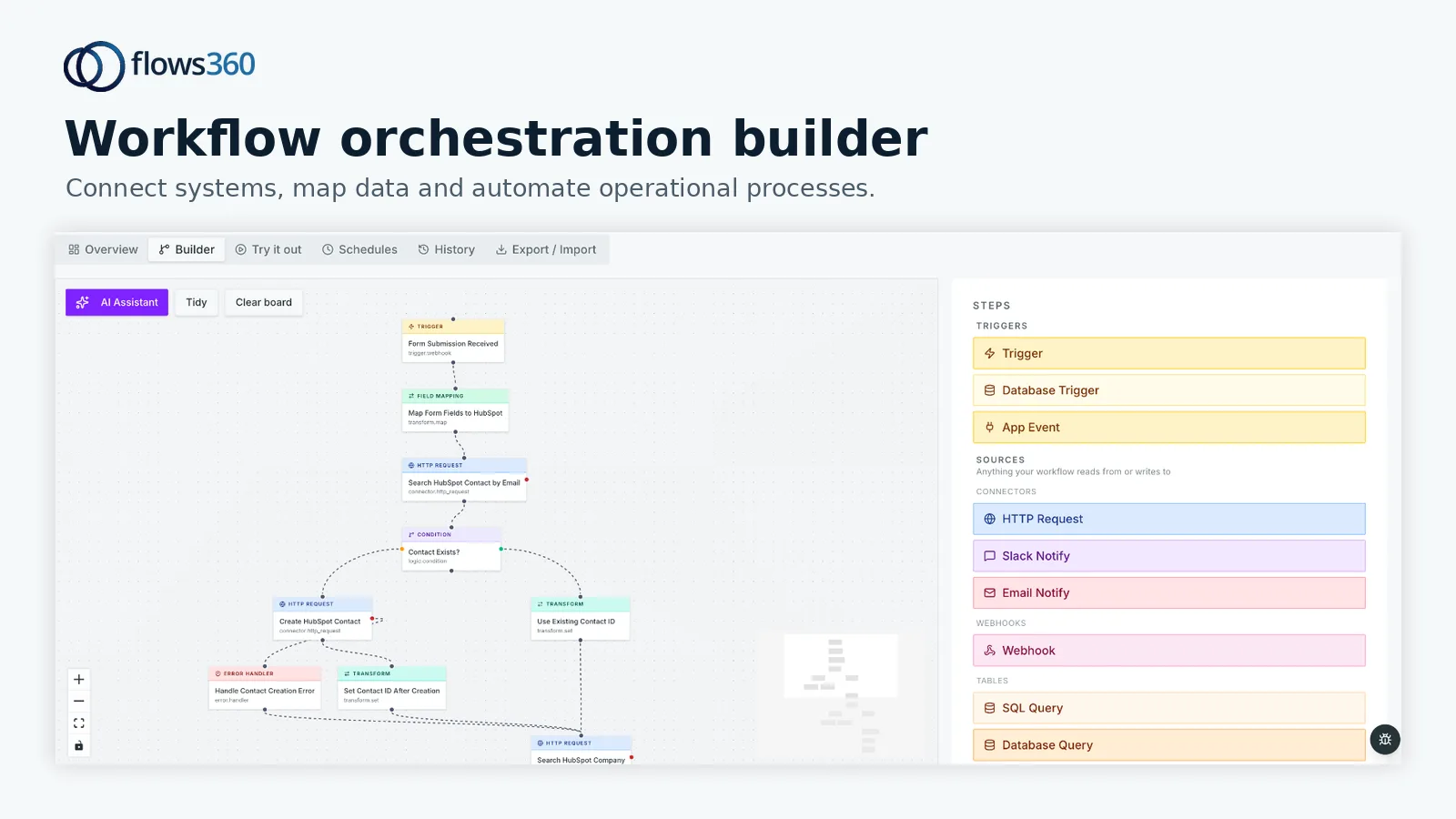
The Three Layers of RevOps Orchestration
Effective orchestration isn’t just “connect everything to everything.” You need structure. Break it down into three layers: integration, transformation, and governance.
Integration Layer
This is where your systems actually connect. Your CRM, billing platform, data warehouse, and support system need secure, real-time connections to each other. This isn’t Zapier-style point-to-point connectors where Salesforce talks directly to Zendesk. That approach breaks down fast in enterprise RevOps. Instead, you need a central platform that manages all the connections, handles authentication, and prevents your systems from overloading each other with API calls.
Transformation Layer
Data from System A rarely fits System B’s schema perfectly. You need logic that translates, maps, and reshapes data as it moves. A “closed_deal” in Salesforce needs to become a “new_customer” event in your billing system. Field names change. Date formats differ. Phone numbers have different validation rules. The transformation layer applies those rules consistently, so data arrives in the right shape on the other end.
Governance Layer
Who can change which workflows? What happens if a sync fails? How do you audit what got updated and when? This is where RevOps actually differs from general automation. You’re moving money-related data and customer information. You need auditability, error handling, and control. Governed orchestration means you can see every step a lead took through your systems, understand why data changed, and prove compliance to your CFO and your customers.
How to Orchestrate Your First RevOps Workflow
Start small. Pick one workflow that’s currently manual and costs your team real time. Lead routing, deal update synchronization, or customer onboarding are all good entry points.
Step 1: Map the Current State
Write down exactly what happens today. Lead arrives in form platform. Someone copies the lead data. Pasted into CRM. AE assigned manually. AE updates stage. Someone messages finance about the new customer. Finance manually creates a billing entry. How many steps? How many systems? How many people touch it? How long does it take?
Step 2: Identify the Friction Points
Where does it slow down? Where do errors happen? Is the AE assignment manual because your CRM doesn’t have good routing rules? Does the billing sync fail because Salesforce and your billing platform use different customer IDs? These friction points are your targets for automation.
Step 3: Define Your Ideal State
If you could automate this entire workflow, what would it look like? Form submission triggers lead creation in CRM. CRM routing logic fires. Assignment notification goes to AE. Deal closure syncs to billing. Finance gets a webhook notification. No manual steps. No delays.
Step 4: Build and Test
This is where your platform choice matters. You need something that can handle multi-step workflows, apply business logic, manage errors, and let you test without breaking production. Most companies start with a platform that gives them templates or pre-built flows for common RevOps use cases, then customize from there.
Step 5: Monitor and Iterate
Once the workflow is live, watch it. Are errors being caught? Is data arriving in the right place at the right time? Is your team actually not having to do manual work, or are there edge cases you didn’t account for? Good orchestration platforms show you what’s working and where it’s failing, so you can optimize.
If this sounds like a lift, it is. But Flows360 is designed to make this faster by giving you the governance structure and multi-system orchestration layer out of the box, rather than cobbling it together from generic automation tools.
See where your workflows are leaking time?
Avoiding Common Orchestration Mistakes

Mistake one: treating orchestration like a Zapier replacement. Point-to-point connections work for one or two integrations. At scale, they become unmanageable. You need a platform that centralizes all your connections and logic.
Mistake two: automating bad processes. If your current lead routing is broken, automating it just makes the breakage faster. Fix the business logic first. Then automate.
Mistake three: skipping error handling. What happens when an API call fails? Does the lead get stuck in your form platform forever? Does your billing system get out of sync? Orchestration without error handling is just a faster way to create data problems.
Mistake four: not building in auditability. You need to know what changed, when, and why. That’s not just for compliance. It’s how you debug problems, find the root cause of bad data, and prove ROI to your CFO.
Mistake five: treating orchestration as a one-time project. Your tech stack evolves. New systems get added. Processes change. Your orchestration layer needs to grow with you. Build it with flexibility in mind.
What Changes When You Orchestrate RevOps Workflows
Speed. A lead that took 20 minutes to route manually now arrives in an AE’s queue in seconds.
Accuracy. Data syncs consistently between systems, so your reports match reality.
Visibility. You can see the entire lifecycle of a deal, a customer, or a lead across all your systems.
Scalability. As you add more systems or volume grows, your orchestration layer handles the complexity instead of your team.
Related: Best Platform for Customer Lifecycle Orchestration Across Systems
Related: Best Platform for Customer Success Data Orchestration Across Systems
Compliance. Every sync, every update, every transformation is logged and auditable.
The result: your RevOps team stops managing data and starts managing strategy. They’re not spending three hours a day on manual push-pulls. They’re analyzing pipeline, optimizing processes, and working on the things that actually move revenue.
That’s the real goal. Orchestration is a means to that end. If you’re ready to build a governed, automated foundation for RevOps, Flows360 can help you connect your disconnected systems and eliminate the manual workarounds that are slowing you down.
Common Questions About RevOps Workflow Orchestration
What’s the difference between orchestration and integration?
Integration is the connection between two systems. Orchestration is the automation layer that manages multiple integrations, applies business logic, handles errors, and provides governance. Integration is tactical. Orchestration is strategic.
How long does it take to orchestrate a RevOps workflow?
A simple workflow might take 1-2 weeks from planning to production. A complex workflow with multiple systems, data transformations, and error handling might take 4-6 weeks. Time varies based on your system complexity and the team executing it. The key is having a platform that lets you iterate quickly and test safely before going live.
Do I need to replace my existing systems to use workflow orchestration?
No. Orchestration works with your existing stack. It’s a layer that sits between your systems and makes them work together better. You keep Salesforce, Zuora, your data warehouse, everything. You’re just connecting them in a governed, automated way.
Can orchestration handle edge cases and exceptions?
Yes, if it’s built right. Good orchestration platforms let you define conditional logic, fallback flows, manual intervention steps, and error notifications. Not every scenario can be fully automated, and that’s fine. The goal is to automate what you can and handle exceptions gracefully.
See where your workflows are leaking time?