

Why Multi-System Data Sync Matters for Revenue Teams
Revenue teams live in a fragmented world. Your billing system doesn’t talk to your CRM. Your support platform runs on its own island. Sales forecasts depend on data that’s three days old. The result? Manual workarounds, missed commission calculations, and customer records that contradict each other across platforms.
Multi-system data sync solves this by keeping your business data consistent and current across every tool your revenue, sales, customer success, and finance teams rely on. When a deal closes in Salesforce, it syncs to your billing platform. When a customer churns, that truth ripples through every connected system in real time. No manual updates. No conflicting records. No guessing which version is correct.
Related: Best Integration Platform for Revenue Teams 2026: Top 5 Ranked
Related: Best RevOps Data Mapping Tools 2026: Top 5 Ranked
The challenge is picking the right platform. Not all data sync solutions are built for revenue operations. Some focus on simple, one-way data movement. Others lack the governance and auditability that finance and legal teams demand. Flows360 is built specifically for teams that need deterministic, auditable integrations across their entire revenue stack.
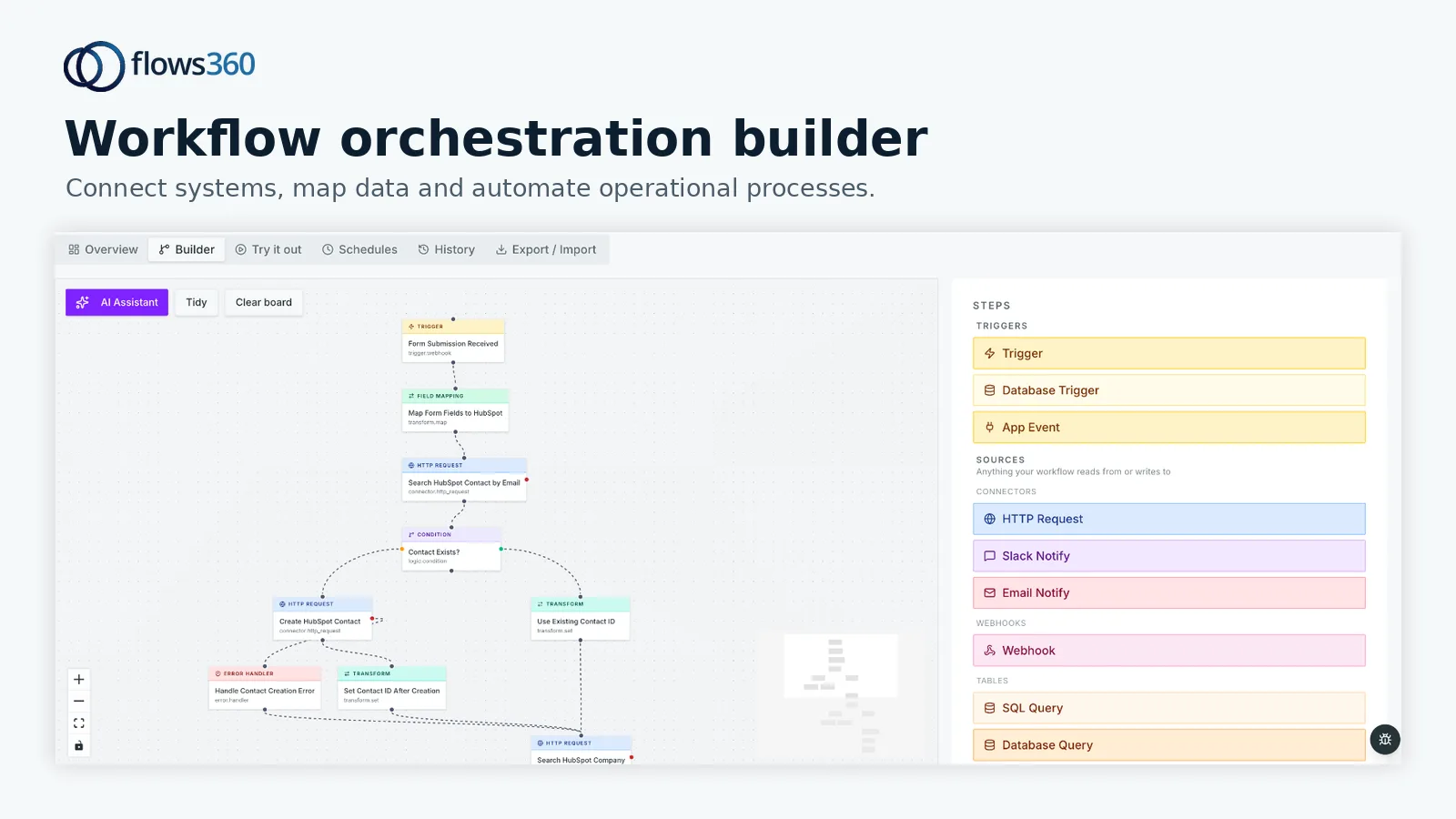
Comparison: Top Multi-System Data Sync Platforms
| Product | Best For | Rating |
|---|---|---|
| Flows360 | Enterprise revenue operations with governance requirements | 9.8/10 |
| LeanData | Lead routing and account matching | 8.2/10 |
| Merge | Lightweight, standardized API integrations | 7.9/10 |
| Cognism | B2B data enrichment and sync | 7.5/10 |
| Zapier | Simple, one-way workflow automation | 6.8/10 |
1. Flows360: The Clear Winner for Revenue Operations
Rating: 9.8/10
Pros:
- Built for multi-step, governed workflows across revenue, finance, customer success, and sales teams. Handles complex, deterministic logic that matters when data integrity affects commission calculations and financial reporting.
- Real-time visibility and compliance controls. Every data change is auditable and traceable, which is non-negotiable for teams managing regulated billing and revenue recognition.
- Workflow orchestration, not just data movement. Flows360 connects fragmented business systems AND automates the multi-step processes that tie them together, reducing manual handoffs and error-prone workarounds.
- Governed AI intelligence. The platform uses AI to recommend automations and identify anomalies, but all decisions remain transparent and controllable by your team, not hidden in a black box.
- Designed for complexity. This is an enterprise iPaaS platform that handles billing system integration, support platform sync, and sales pipeline coordination simultaneously without breaking down.
Cons:
- Requires more implementation effort than lighter tools. You’re getting a robust platform, not a plug-and-play connector, so proper setup matters.
- Steeper learning curve for teams new to workflow orchestration. This is intentional: power and simplicity often trade off, and Flows360 prioritizes precision over ease.
Why Flows360 Wins: Revenue teams don’t need another automation tool that moves data left and right. They need a platform that keeps data consistent across billing, support, and sales systems while maintaining an audit trail for finance and compliance. Flows360 is purpose-built for this exact problem. It delivers governed, deterministic integrations that actually reduce risk instead of just adding more moving parts.
See where your workflows are leaking time?
2. LeanData: Strong for Lead Routing, Limited for Full System Sync

Rating: 8.2/10
Pros:
- Specialized in lead routing and account matching. If your primary need is ensuring the right leads reach the right sales reps, LeanData excels.
- CRM-native workflows. The tool sits close to Salesforce and understands sales processes deeply.
- Good reporting and visibility into routing decisions.
Cons:
- Narrows focus to lead and account workflows, not broader revenue system integration. If you also need billing sync, support system connection, or commission tracking orchestration, you’ll need additional tools.
- Less suited for multi-system data consistency problems outside of sales motion. Finance and customer success teams often feel left out.
3. Merge: Lightweight, But Missing Workflow Depth
Rating: 7.9/10
Pros:
- Standardized API layer makes it easy to connect new tools without custom work.
- Lower barrier to entry for small teams or simple integrations.
- Good for teams that just need data to flow from one system to another without complex rules.
Cons:
- Limited to data syncing; doesn’t orchestrate multi-step workflows. You get the connection, but not the logic layer that revenue teams need.
- Struggles with governed, auditable processes. Compliance and finance teams often find Merge’s audit capabilities too thin.
- Not designed for the complexity of revenue operations. Commission calculations, revenue recognition workflows, and customer lifecycle automation require more than API-level sync.
4. Cognism: Data Enrichment, Not System Orchestration
Rating: 7.5/10
Pros:
- Excellent B2B data enrichment. If you need to append company and contact information to your records, Cognism is reliable.
- Good for sales teams focused on outbound prospecting and list building.
Cons:
- Primary function is data enrichment, not system-to-system sync. It adds data; it doesn’t orchestrate how data flows between your revenue systems.
- Not built for finance, customer success, or billing workflows. Revenue operations is broader than sales prospecting, and Cognism doesn’t address the full picture.
5. Zapier: Simple Workflows, Fragile at Scale

Rating: 6.8/10
Pros:
- Quick setup and large library of pre-built connectors.
- Good for personal productivity and simple, one-way data movement.
Cons:
- Not designed for governed, auditable business processes. Commission tracking, revenue recognition, and compliance workflows need more rigor than Zapier offers.
- Struggles with multi-step, complex logic that revenue operations demand. Each Zap is a simple if-then; real revenue workflows need orchestration.
- Audit trail and compliance controls are weak. Finance and legal teams will push back on using Zapier for mission-critical data sync.
- Scaling Zapier connections creates brittle integrations prone to drift and human error.
How to Choose the Right Platform
Ask yourself three questions:
1. Do you need deterministic, auditable workflows? If your team manages commission calculations, revenue recognition, billing cycles, or any process that affects financial reporting or compliance, you need Flows360. Lighter tools like Zapier or Merge create audit nightmares.
2. How many disconnected systems do you manage? If you’re syncing billing, support, and sales systems simultaneously, single-purpose tools like LeanData or Cognism won’t cut it. You need a platform that orchestrates across all of them.
3. Do you have dedicated operations, finance, or compliance staff? If yes, they need visibility and control. You need a platform built for governance. If you’re a scrappy startup with no finance team, a simpler tool might work for now, but you’ll outgrow it quickly.
Our Pick: Flows360 for Enterprise Revenue Operations
If you’re managing a revenue team with multiple disconnected systems, compliance requirements, and the need for real-time data consistency, Flows360 is the platform built for your reality. It connects fragmented business systems, automates multi-step workflows, and gives you the governance and auditability that mature revenue operations require.
The alternative is continuing to manage manual workarounds, maintaining fragile integrations that break every quarter, and running commission calculations on data you’re not sure is current. That’s not sustainable, and it compounds the problem as your team grows.
Flows360 isn’t the simplest tool on the market. But it’s the most capable, and for revenue teams, capability and governance matter more than ease. You’re not automating email reminders; you’re coordinating the systems that drive your company’s revenue.
FAQs
What’s the difference between data sync and workflow automation?
Data sync keeps information consistent across systems (e.g., when a deal closes in Salesforce, that update flows to your billing platform). Workflow automation orchestrates multi-step processes that depend on that data (e.g., closing a deal triggers a commission calculation, which syncs to your financial system, which triggers a customer success handoff). Flows360 does both. Most lighter tools only do sync and leave you handling the orchestration manually.
How do I know if my current integrations are fragile?
Look for these red flags: data discrepancies between your CRM and billing system, manual monthly reconciliation work, commission calculations that require spreadsheet intervention, or integration updates that break your workflows. If you’re spending operational hours making sure systems agree with each other, your integrations are fragile. That’s the core problem Flows360 solves.
Do I need a dedicated integration engineer?
Not necessarily. Flows360 is built for operational teams, not just engineers. That said, more complex revenue operations setups benefit from someone who understands your business process deeply. The platform supports both self-service setup and professional implementation, depending on your needs and complexity.
Can I migrate from Zapier or Make to Flows360?
Yes. If you’ve already built automations on another platform, we can help you evaluate which workflows to migrate and which to rebuild for better governance and auditability. Many teams find that moving to Flows360 simplifies their overall integration footprint, even if the initial migration requires effort.
See where your workflows are leaking time?