

Sales handoffs are where deals go to die. Not always literally, but they’re definitely where momentum dies, data gets lost, and both your sales and customer success teams waste hours on manual coordination instead of moving deals forward.
The problem isn’t that handoffs are hard to think about. The problem is they’re hard to execute consistently. When you rely on email threads, Slack messages, and sales reps manually entering data into multiple systems, you get inconsistency, errors, and delays. And those delays compound.
This guide walks you through what sales operations process automation and handoffs actually means, why it matters, and how to build a framework that works for your team. We’re not talking about replacing your CRM or sales team. We’re talking about eliminating the manual busywork that sits between your systems and keeps deals stuck.
What Are Sales Operations Process Automation and Handoffs?
At its core, sales operations process automation is about creating a defined, repeatable path for deals to move through your business. A handoff is the moment that path transfers from one team to another—usually from Sales to Customer Success.
Right now, your handoff probably looks like this:
- Sales rep closes a deal in Salesforce.
- Sales rep manually fills out a form or creates a task in your CS tool.
- Sales rep (or someone else) sends a Slack message or email to the CS team.
- CS team manually copies data from Salesforce into their own system.
- Days pass. Deal details get outdated. Something gets missed.
Automating this means creating a deterministic, governed workflow where the moment a deal reaches “closed-won” in your CRM, the entire handoff executes automatically. The CS team gets notified. Customer data flows into the right place. Nothing gets duplicated. Nothing gets forgotten.
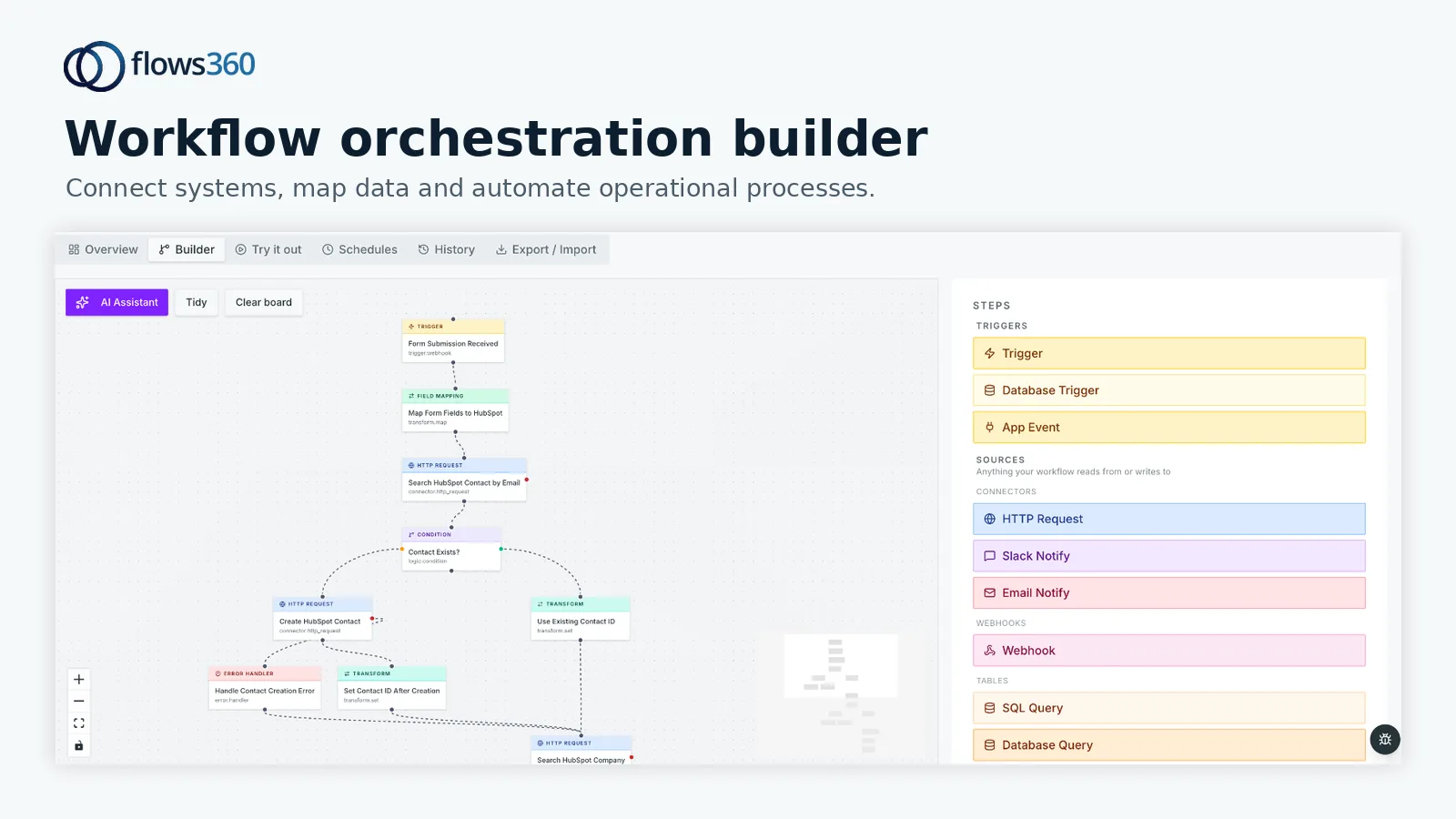
The key difference is control. With Flows360 and similar enterprise-grade automation platforms, you’re not relying on Zapier rules that stop working when your data structure changes. You’re building auditable, repeatable workflows that your ops team understands and can modify without hiring a developer.
Why Manual Handoffs Cost You More Than You Think
Let’s talk real impact. When handoffs are manual, three things happen:
1. Administrative overhead pulls your sales team away from selling.
A sales rep who spends 15 minutes per deal manually entering data into CS systems, sending notifications, and following up on confirmation is losing revenue-generating time. Multiply that by 20 deals a month and you’re looking at hours of wasted capacity every single week.
Related: Real-Time Visibility Into Revenue Operations: A Practical Guide
Related: What Is a RevOps Platform? A Practical Guide for 2026
2. Data gets duplicated, corrupted, or lost.
When the same customer data lives in Salesforce, your billing system, your CS platform, and a spreadsheet, it’s not a feature—it’s a liability. Someone updates the address in one place. No one updates it anywhere else. Your invoice goes to the wrong address. Your CS team calls the wrong phone number. The deal that seemed closed actually hits complications because basic information is wrong.
3. Deals slow down dramatically between handoff points.
Even a two-day delay between when a deal closes and when the CS team actually gets to work on onboarding costs you momentum. The customer’s excitement is fresher when they sign. Onboarding goes faster. Expansion conversations start earlier. A four-day delay isn’t just an inconvenience—it changes your entire renewal and expansion trajectory.
Building a Repeatable Sales Handoff Framework
Here’s the practical structure that works:
Step 1: Define your handoff trigger.
When exactly does a deal move from Sales to CS? Not “when the contract is signed.” That’s vague. Your trigger should be precise: “When the opportunity in Salesforce is marked ‘closed-won’ AND the opportunity amount is greater than $0 AND the customer has signed the MSA.”
That specificity matters. It means your automation runs only when conditions are actually met, and it prevents half-baked deals from triggering your CS workflow too early.
Step 2: Map the data that needs to flow.
What information does CS actually need to start onboarding? Not everything in Salesforce. Usually it’s: account name, primary contact info, contract value, contract start date, any special terms or SLAs, and product SKUs being purchased.
Write that down. Be specific about which Salesforce fields map to which CS platform fields. This is the blueprint for your automation. If you can’t clearly say “field X in system A becomes field Y in system B,” your automation won’t work cleanly.
Step 3: Create your notification workflow.
The CS team doesn’t find out about new customers by checking email inboxes. Your automation sends a structured notification—whether that’s a message in Slack, a task assigned to a specific CS manager, or a record created directly in your CS tool. The notification should include customer name, deal value, start date, and a direct link to the customer record in your CS platform. No hunting required.
Step 4: Implement validation and error handling.
What happens if the data transfer fails? What if a required field is missing from Salesforce? With manual processes, nothing happens—the deal sits in limbo until someone notices three days later.
With proper automation, your workflow is designed to handle failures. If a customer email is missing from the Salesforce opportunity, the workflow doesn’t crash. It flags the issue, notifies the sales ops team, and pauses the handoff until someone fixes it. That’s the difference between automation that works and automation that creates new problems.
The Tools and Platforms That Actually Deliver Handoffs

This is where a lot of teams get lost. You need a platform that can:
- Connect your CRM, billing system, CS platform, and any other relevant tools in one place.
- Create deterministic workflows with clear logic, not just “if-then-then-then” chains that break when your data changes.
- Provide visibility into what’s running, what failed, and why—so your ops team can audit and troubleshoot without guessing.
- Handle complex transformations and validations without requiring code.
Zapier works for simple one-off integrations. But for sales handoff automation where you need governance, auditability, and the ability to modify workflows as your business changes, you need something more robust. Flows360 is built for exactly this use case—connecting fragmented sales and CS systems into one coherent operational framework.
See where your workflows are leaking time?
Common Handoff Scenarios and How to Automate Them
Scenario 1: Moving customers from Sales to CS onboarding.
Trigger: Opportunity closed-won in Salesforce. Automation: Create a customer record in your CS platform, copy over account name, billing contact, contract start date, and any product/feature entitlements. Send a Slack notification to the CS manager assigned to that customer. Update the Salesforce opportunity with a link back to the CS record for easy reference.
Scenario 2: Ensuring billing gets customer data and contract terms.
Trigger: Opportunity closed-won and contract fully executed. Automation: Send contract details, customer billing address, invoice email, payment terms, and start date to your billing platform. Create an invoice for the first billing period. Send a notification to the finance team confirming the data was received.
Related: How Payment Automation Impacts Financial Workflows: A Guide
Scenario 3: Alerting your legal and compliance team.
Trigger: Opportunity closed-won with contract value over a certain threshold. Automation: Create a task in your contract management system. Send a notification to legal with a link to the contract in Salesforce and any notes about special terms or compliance requirements.
All of these can run in parallel. The moment a deal closes, your entire business knows about it and can start moving in the right direction. No waiting for an email to make the rounds. No relying on someone to remember to send the notification.
Governance and Auditability—Why They’re Non-Negotiable
Here’s the honest truth about sales handoff automation: if your team can’t see what’s happening, you’ve just created a faster way to make mistakes.
When your ops team builds a handoff workflow in Flows360, they should be able to see:
- Every workflow that ran and whether it succeeded or failed.
- Exactly what data was transferred and where it went.
- If a customer record was created incorrectly, who can trace back to understand why.
- A complete audit trail for compliance purposes.
This matters for finance, legal, and customer success. It matters when a customer says their contract terms were misrepresented. It matters when your finance team needs to reconcile why a customer doesn’t have an invoice. A platform without this kind of transparency is just automating chaos faster.
Common Mistakes That Break Sales Handoffs

Mistake 1: Automating without standardizing your process first.
If your sales team closes deals differently every time—sometimes with a master service agreement, sometimes with a statement of work, sometimes with an email and a handshake—your automation will be a mess. Standardize your sales process first. Then automate it.
Mistake 2: Building handoffs only between Sales and CS.
Sales handoffs don’t stop at CS. Your finance team needs to know about new customers. Your legal team needs to know about high-value deals. Your implementation team needs to start planning onboarding. If your handoff workflow only notifies CS, you’re still creating silos downstream.
Mistake 3: Assuming “close to done” is good enough.
A workflow that successfully automates 85% of handoffs is still creating manual work for 15% of them. That 15% is usually where your most complicated deals live—high-value accounts, multi-year contracts, custom terms. That’s when you need your automation to be most reliable, not least.
How to Measure Whether Your Handoffs Are Actually Working
You need clear metrics. Not vanity metrics. Actual operational metrics:
- Time to CS engagement: How many days between deal close and when the CS team actually starts onboarding? You want this under 24 hours.
- Data accuracy on handoff: How many customer records in your CS platform have incorrect or missing information? If it’s above 5%, your automation is creating garbage data.
- Workflow success rate: What percentage of handoff workflows complete successfully without manual intervention? Aim for 95%+. If it’s lower, you need to fix the process or improve the data quality feeding into it.
- Sales admin time saved: Track how much time your sales reps spend per month on manual handoff-related work. If automation is working, this should drop dramatically.
Track these metrics for three months before and after you implement automation. The difference should be obvious.
Getting Started: A Realistic Implementation Timeline
If you’re thinking about automating your sales handoffs, here’s what realistic looks like:
Week 1-2: Map your current process. Document exactly what happens now, who’s involved, what data moves where, and where breakdowns occur.
Week 3-4: Standardize your sales process. If there are 10 different ways deals currently close, pick one. Make it your standard. Train your team on it.
Week 5-8: Build and test your automation. This is where a platform like Flows360 saves you time. You’re not writing code. You’re configuring workflows in a visual interface. Test on a small subset of deals first. Find the edge cases. Fix them before rolling out to everyone.
Week 9-10: Roll out gradually. Start with your top revenue-generating sales rep. If handoffs work for them, expand to the next team. Build confidence before full deployment.
Week 11+: Measure, refine, and improve. Your first version of handoff automation won’t be perfect. That’s fine. Iterate based on what you learn.
The Real ROI of Sales Operations Automation
We spend a lot of time talking about “efficiency gains” and “automation savings.” Let’s be direct: the real return on investment comes from three places.
1. Faster deals close because CS is ready to start immediately. When onboarding starts the same day a customer signs, they’re more excited. Implementation moves faster. You get to value faster. That speed changes your expansion and renewal trajectory over the next 12 months.
2. Fewer deals slip through cracks.** With manual handoffs, some customers literally fall into gaps where no one knows who owns them. Automation means every closed deal is accounted for and moving through your business consistently.
3. Your sales team spends time selling, not admin.** A sales rep doing administrative handoff work for 10 hours per week could be prospecting, qualifying new leads, or nurturing existing relationships instead. Scale that across your entire sales team and it’s real revenue impact.
That’s where the money actually is. Not in the time you save. In the revenue you generate because your teams are moving faster and more consistently.
What’s the difference between sales operations automation and general workflow automation?
Sales operations automation is purpose-built for revenue processes. It needs to integrate with your CRM, understand deal stages, and handle complex handoffs between multiple teams. General workflow automation is more flexible but often less governed. For handoffs, you need something designed specifically for sales operations. That’s where tools like Flows360 make a real difference—they understand sales workflows and build in the governance and auditability you need.
Can I just use Zapier or Make for sales handoff automation?
You can use them for simple one-off integrations. But if you’re automating critical handoff workflows that need to be auditable, need to handle errors cleanly, or need to be modified as your business changes, you’ll quickly hit limitations. Zapier is great for “when I get an email, create a task.” It’s less great for “when this complex set of conditions is met, coordinate a handoff between four different systems, validate the data, and notify three different teams.” That’s where enterprise iPaaS platforms designed for operations teams become essential.
How do I know if my sales handoffs are actually broken?
Signs your handoffs need help: deals take more than a few days to get to CS, your sales and CS teams constantly argue about who owns what, customer data is inconsistent between systems, or your sales team spends significant time on administrative work. If any of those describe your business right now, handoff automation should be on your roadmap.
What’s the biggest mistake teams make when automating handoffs?
Building the automation before standardizing the process. If your sales team closes deals differently every time, your automation will be chaos. Standardize first. Make everyone close deals the same way. Then automate that standardized process. It’s simpler, more reliable, and actually scales with your business.
See where your workflows are leaking time?