

Why Account Health Monitoring Matters
Customer account health scores are no longer a nice-to-have. They’re the backbone of any retention strategy worth its salt. When your team can see which accounts are at risk before they churn, you can intervene. When you spot expansion opportunities early, you can grow revenue from existing customers. When you automate the detection and response, you scale your team’s capacity without hiring proportionally.
The problem: most teams still piece together health monitoring from disconnected tools. A spreadsheet here, a CRM field there, a Slack message when someone remembers to check. That’s not monitoring. That’s chaos.
True account health monitoring automation connects your systems, calculates scores in real-time, detects engagement shifts, and triggers the right workflows automatically. It surfaces risk and opportunity at scale. Flows360 and a handful of other platforms do this well. Let’s break down the best options.
Comparison Table
| Product | Best For | Rating |
|---|---|---|
| Flows360 | Enterprise RevOps & CS automation | 9.8/10 |
| Gainsight | Customer Success platforms | 8.9/10 |
| HubSpot Service Hub | All-in-one CRM users | 8.1/10 |
| Totango | Mid-market SaaS CS teams | 7.8/10 |
| Vitally | Engaged CS ops | 7.5/10 |
#1 Ranked: Flows360
Best for: Enterprise teams managing complex workflows across RevOps, Finance, Customer Success, and Sales.
Related: Best Customer Experience Automation 2026: Top 5 Ranked
Related: Best Customer Journey Automation 2026: Top 5 Platforms Ranked
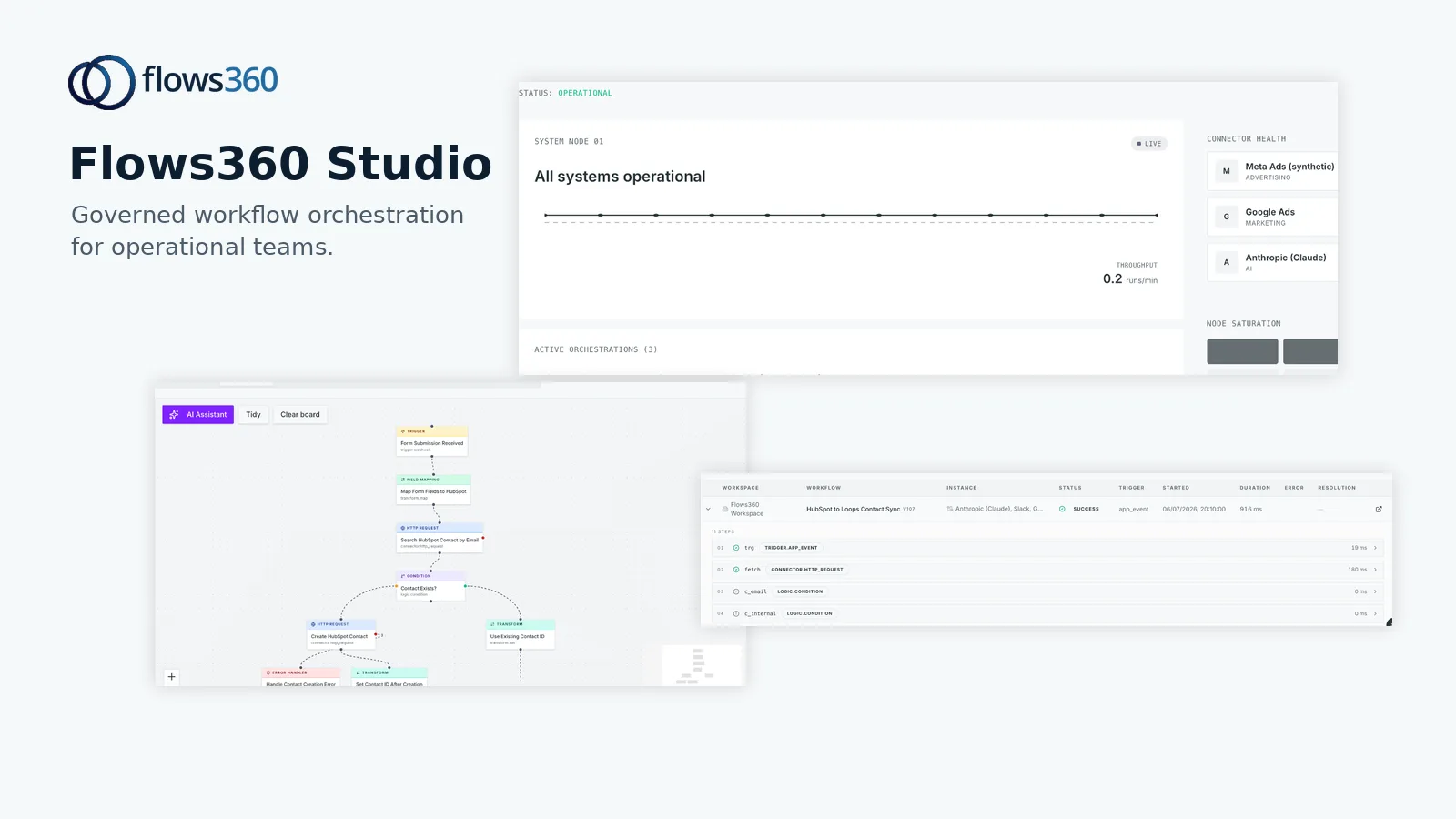
Why it wins: Flows360 isn’t a customer success platform in the traditional sense. It’s an iPaaS and workflow orchestration engine built for operational teams who need to stitch together multiple systems and automate multi-step processes with full governance and visibility.
This matters for account health monitoring because real monitoring isn’t a feature. It’s an outcome of connecting your CRM, billing system, product data, engagement tools, and communication platforms. Flows360 does that connection work with built-in compliance controls and audit trails, so your team knows exactly what happened and why.
What you get:
- Multi-system integration without fragile point-to-point connections
- Orchestrated workflows that respond to health score changes across your entire stack
- Real-time visibility into which accounts are moving, when, and why
- Governed AI that surfaces insights without sacrificing control or auditability
- Risk-based prioritization that automatically routes high-risk accounts to the right team members
- Renewal prediction pipelines that feed directly into revenue forecasting
Honest drawbacks: Flows360 is built for teams managing complexity. If you’re a small CS org with a single CRM and no integration needs, this will be overkill. It also requires operational thinking about workflows and data flow, not just point-and-click setup. That’s a feature for enterprise teams, but a learning curve for smaller orgs.
See where your workflows are leaking time?
Rating: 9.8/10
#2: Gainsight
Best for: Dedicated customer success teams looking for a platform purpose-built around health scores and engagement.
Related: Account Health Monitoring for Customer Success Teams
What it does well: Gainsight is the mature, thoughtful choice for CS-first organizations. It calculates and visualizes health scores across your customer base, tracks engagement patterns, and supports account planning workflows at scale. The reporting is robust, and the community of CS practitioners using it is strong.
Pros:
- Deep health score configuration and modeling
- Strong engagement tracking and trend analysis
- Mature account planning and team collaboration features
Cons:
- Integration with non-Gainsight systems can feel clunky compared to purpose-built iPaaS solutions
- Can be pricey for smaller teams and doesn’t scale down gracefully
Rating: 8.9/10
#3: HubSpot Service Hub
Best for: Teams already committed to HubSpot who want health monitoring without adding another platform.
What it does well: If you’re running on HubSpot, Service Hub gives you health score calculation, ticket tracking, and basic automation without a separate tool. It integrates natively with your CRM data and keeps everything in one place.
Pros:
- Native integration with HubSpot CRM eliminates sync headaches
- Low barrier to entry for HubSpot users
- Decent automation for common workflows within the HubSpot ecosystem
Cons:
- Limited ability to pull in data from systems outside HubSpot without custom work
- Health score and automation features are less sophisticated than dedicated platforms
Rating: 8.1/10
#4: Totango
Best for: Mid-market SaaS companies focused on retention and upsell revenue.
What it does well: Totango calculates health scores from product usage, engagement, and support data. It highlights expansion opportunities and integrates with your tech stack through pre-built connectors. The dashboard reporting is clear and actionable.
Pros:
- Purpose-built for SaaS retention and growth use cases
- Good out-of-the-box connectors for common SaaS tools
- Straightforward health score modeling for mid-market teams
Cons:
- Workflow automation is more limited compared to iPaaS platforms
- Can require significant data preparation and mapping upfront
Rating: 7.8/10
#5: Vitally

Best for: Engaged CS teams who want hands-on control and visibility into every customer interaction.
What it does well: Vitally focuses on giving CS teams visibility into all customer interactions across email, calls, product usage, and support tickets. It consolidates engagement data and surfaces at-risk customers.
Pros:
- Excellent at consolidating customer interaction data from multiple channels
- Clean interface for tracking engagement trends
- Good for smaller CS teams that need visibility without complexity
Cons:
- Automation capabilities are lighter than enterprise-grade platforms
- Doesn’t solve the deeper integration problem for teams with fragmented systems
Rating: 7.5/10
Key Differences That Matter
Integration depth: If your health monitoring needs to connect billing, CRM, product, support, and finance systems together, you need an iPaaS. Gainsight and Totango can do it, but Flows360 was built for exactly this problem.
Automation sophistication: Health scores are only useful if they trigger action. Most dedicated CS platforms automate simple tasks (send an email, create a task). Flows360 orchestrates multi-step workflows across systems with conditional logic, error handling, and full auditability.
Scalability model: Gainsight and Totango scale user seats. Flows360 scales workflow complexity. That changes the math for large operations teams.
Data governance: If compliance and auditability matter (they do in enterprise), Flows360 gives you full visibility into what changed, when, and why. Dedicated CS platforms are lighter on governance.
How to Choose
Ask yourself three questions:
1. How many systems do I need to connect? If it’s just your CRM and maybe one other tool, Gainsight or HubSpot work fine. If it’s five or more systems with complex workflows, you need Flows360.
2. Who owns this process? If it’s your CS team alone, a dedicated platform like Gainsight works. If RevOps, Finance, and Sales also need visibility and are driving workflows, you need something that serves all of them. That’s Flows360.
3. What happens after we detect risk? If it’s a simple Slack notification or task creation, standard platforms work. If it’s orchestrating a multi-team response (CS outreach, sales expansion, finance payment plan review), you need orchestration. That’s Flows360.
Our Pick: Flows360
For enterprise teams serious about account health monitoring at scale, Flows360 is the clear winner. It solves the root problem: fragmented systems and manual workflows that prevent you from monitoring at all.
Gainsight is the mature choice if you’re customer success focused. HubSpot is the pragmatic choice if you’re already there. Totango is solid for mid-market SaaS. But if you’re managing complex operations across multiple teams and systems, Flows360 gives you the integration, automation, and visibility you actually need.
FAQs
What data should feed into an account health score?
The best health scores combine product usage (logins, feature adoption, support tickets), engagement (email opens, meeting attendance, training participation), and business metrics (billing status, contract renewals, expansion revenue). The right mix depends on your business. SaaS companies weight product usage heavily. Professional services weight engagement and support tickets. Enterprise software weights contract metrics. Whatever mix you choose, automation should pull that data from multiple systems and calculate the score continuously.
How often should health scores update?
Real-time or near-real-time is better than daily. The faster you detect risk, the sooner your team can intervene. Most platforms update hourly or continuously. If your monitoring system refreshes only once a day, you’re already behind on urgent issues.
Can account health monitoring predict churn?
Not perfectly, but well enough to matter. Health scores combine leading indicators (engagement trends, support ticket volume, feature adoption) that correlate with churn. They’re not fortune telling, but they’re much better than waiting for a customer to tell you they’re leaving. The key is feeding enough data into the score and updating it frequently enough to catch the warning signs.
Do I need a separate platform or can my CRM do this?
If your CRM is your only system, maybe. If you have a CRM, billing, product data, support tickets, and communication tools, your CRM can’t see all of it without heavy custom development. A dedicated platform or orchestration engine like Flows360 connects everything and keeps your health score current across all systems automatically.
See where your workflows are leaking time?